Portable Start Menus

Portable start menus and application launchers help organize shortcuts to programs, documents, folders, and utilities on a USB drive. They can make a collection of portable apps easier to navigate, but a launcher does not make an application portable by itself. Some tools are classic menus, some live in the system tray, and others provide a dock-style interface. Check each review for supported Windows versions, project status, and how it stores its settings and shortcut paths.

Portable Menus and App Collections: SyMenu, ASuite, PStart, and Portable Start Menu are listed for creating menus of applications and shortcuts from removable storage. Portable Application Launcher is another option to review when building a USB-based app collection.

Tray Menus and Desktop Docks: SE-TrayMenu provides a launcher from the system tray, while Appetizer and RocketDock offer alternative ways to access shortcuts. These tools differ in interface and behavior, and older projects may not support every current Windows configuration.

Set Up a Reliable USB Launcher: Prefer relative paths when the launcher supports them, so shortcuts can still work if Windows assigns the USB drive a different letter on another PC. Test the menu after moving or renaming the drive folder, and confirm that each target program can run independently. A launcher may store recent items, configuration, or other settings on the host computer, so check its options if minimizing traces on shared PCs matters. Back up the USB drive before reorganizing large app collections.

Portable Application Launcher: Start Menu
Portable Application Launcher

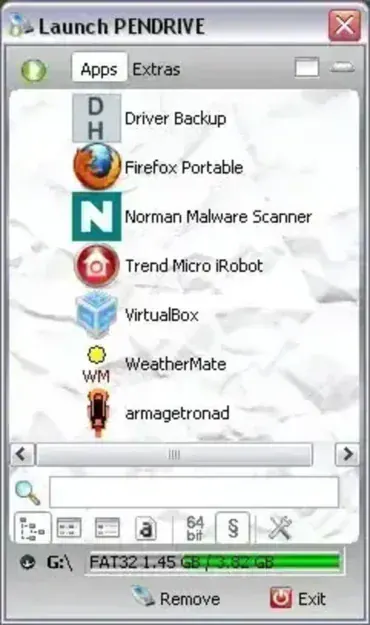
Portable Application Launcher is another great Tray Launcher. It is essentially a Portable Start Menu that can be used to quickly access frequently used programs, applications, games, etc that might reside on your USB device. Includes a built in browser, ability to scan for executable files, drag and drop files, and much more. This appears to be one of the most flexible and easy to use Portable Launcher out there.
SE-TrayMenu - Portable Start Menu Tray

se-traymenu-a-portable-start-menu

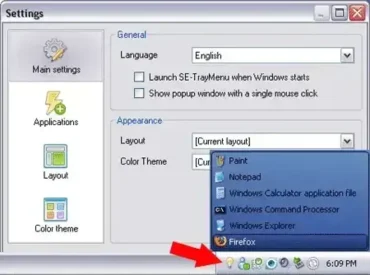
SE-TrayMenu is a Free Portable Tray Launcher and hotkey manager. The Portable Start Menu tool can be used to manage shortcuts to and quickly access frequently used programs, games and applications that reside either on your PC or your USB device. It is available in four different languages and features customizable color themes and adjustable layout settings.

Appetizer - Portable Start Menu Launcher

appetizer-portable-start-menu-and-program-launcher-screenshot

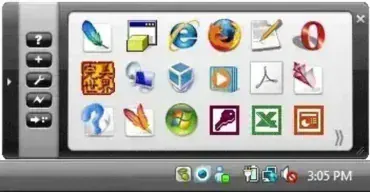
Appetizer is a free portable application launcher. It serves as a portable start menu dock that can be minimized to the System Tray. The Portable Program Launcher allows users to organize shortcuts to software executables and then run them from a single convenient dock. Appetizer can automatically import shortcuts from your start menu and quick launch toolbar and also supports drag and drop organization.

RocketDock - Portable Application Launcher

rocketdock-portable-application-launcher

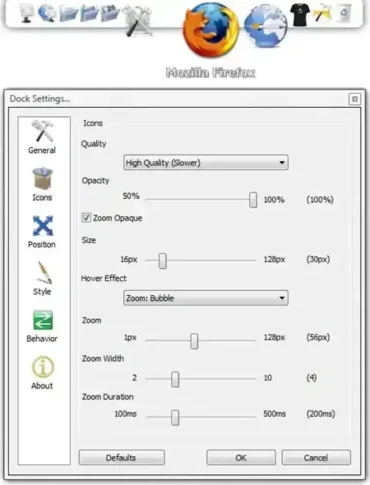
RocketDock: A Portable Application Launcher for USB Drives. This free portable program launcher enhances the organization and accessibility of applications on Windows. Stored on USB drives or other removable devices, it can be carried in your pocket and taken with you, serving as a portable start menu or application launcher.

Portable Start Menu

Portable Start Menu

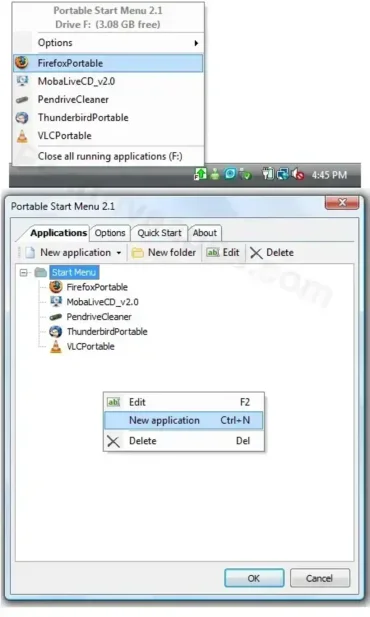
Portable Start Menu is a Free Portable application that can be used to organize all of your portable applications for quick launch via a start tray icon. It works much like the Start Button in Windows with the exception that the Portable Start Menu is only used for launching the preinstalled portable applications from your USB device.

SyMenu - Portable Start Menu

symenu-portable-start-menu

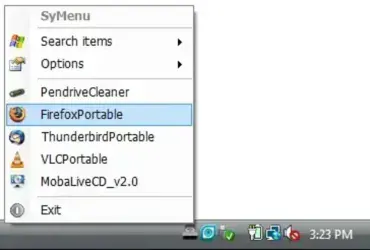
SyMenu is a Portable Start Menu for USB devices. It can be used much like a Windows Start button to quickly launch your portable software applications and programs from the USB device. Registering new applications to be added to the SyMenu right click menu is a simple drag and drop affair, making SyMenu Portable Start Menu a very intuitive and super easy to use USB Launcher.

ASuite - Portable Start Menu Launcher

asuite-portable-start-menu-screenshot

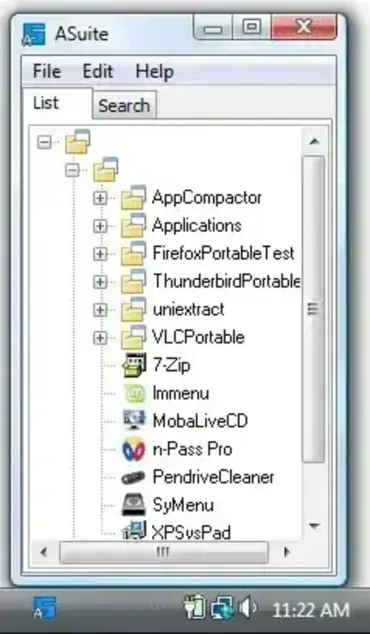
ASuite is a handy, open source portable start menu tool designed to make launching portable applications from a USB drive or external storage easier and more organized. It serves as a launcher for your portable programs directly from the system tray, offering quick access to your favorite tools without cluttering your desktop or taskbar.

PStart - Portable Start Menu

pstart-screenshot

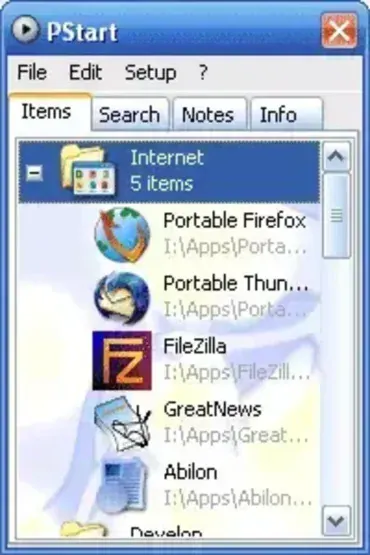
PStart is a free, lightweight portable start menu application designed to help users organize and launch software from a USB flash drive, SD card, external hard drive, or local folder. Created by Pegtop Software, this compact launcher makes it easy to access portable applications, documents, folders, and websites from a single customizable menu.

Popular among IT professionals, technicians, and portable software enthusiasts, PStart provides a simple way to carry an organized software toolkit between computers without requiring installation or administrative privileges. Its tiny footprint and straightforward interface have helped it remain a favorite portable launcher for years.