
Yadabyte Passwords is a tiny, free, portable password manager that uses AES 256 encryption to protect your login and password information. This standalone application enables you to securely store all your passwords in an encrypted database and access them with a single master password. With a clean and minimal GUI, it remains one of the simplest and most lightweight portable password managers available.
Yadabyte Passwords | Portable Password Manager
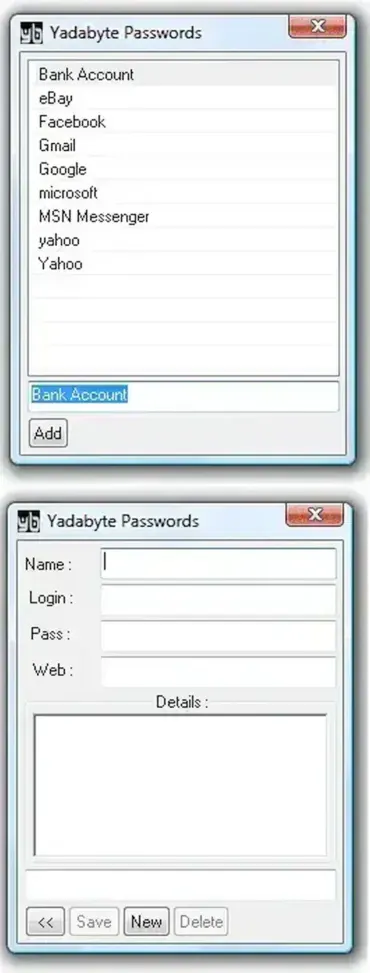
Yadabyte Passwords is designed with a focus on security and portability. This free password management tool has been a favorite for years due to its simplicity, minimal interface, and robust encryption. The developer has not updated this password manager in years. Current Windows compatibility and the continued security of its database format have not been independently verified, so treat it as legacy software rather than a recommended choice for new or critical passwords.
Originally, one unique feature of Yadabyte Passwords was its ability to run directly from a Pocket PC (I know that's ancient, right?) as well as from USB drives. This allowed users to share a single encrypted password database between devices, keeping their login credentials safe on the go.
Key Features
- AES 256 Encryption: All passwords are secured with AES 256-bit encryption, one of the strongest standards available.
- Portable Password Storage: Run from any USB key, floppy disk, or hard drive without installation.
- Minimal Interface: Simple, clean design that avoids unnecessary menu clutter.
- Encrypted Password Storage: The software advertises encrypted password storage, but users should verify the format and implementation before trusting it with important credentials. Keep secure backups of the encrypted database.
- Portable Pocket PC Version: Offers compatibility with older Pocket PCs for flexible access.
For users looking for more advanced features, including password generation, cross-platform support, or plugin integration, we recommend also checking out KeePass Password Safe.
Specifications | Official Site | Where to Download
- Author's Website: Official Project Page
- Developer: Yadabyte Software
- License: Open Source
- Extracted File Size: < 200KB
- Supported OS: Windows
- Download: Download Yadabyte Passwords | Source Code
Practical Tips for Using Yadabyte Passwords
- Always backup your encrypted password database to a secure location.
- Use a strong master password to protect all stored credentials.
- Combine Yadabyte with a portable browser for a fully portable secure environment.
- Regularly update your passwords and remove outdated accounts.
Frequently Asked Questions (FAQ)
Is Yadabyte Passwords free?
Yes, it is completely free and open source, with no trial limitations or ads.
Can I run Yadabyte Passwords from a USB drive?
Yes, it is fully portable and can run from USB keys, floppy disks, or hard drives without installation.
Does Yadabyte Passwords use strong encryption?
Yes, all passwords are encrypted using AES 256-bit encryption to ensure maximum security.
Is Yadabyte Passwords still maintained?
No, the developer has not updated it in recent years, but it still works on modern Windows systems including Windows 11.
How does Yadabyte Passwords compare to KeePass?
Yadabyte is simpler and lightweight, while KeePass offers advanced features like password generation, multi-platform support, and plugin integration.
Final Thoughts
Yadabyte Passwords is a small legacy password manager that was designed for portable use. Although the listing describes AES-256 encryption, its age and lack of recent maintenance mean current compatibility and security should not be assumed. For new or important credentials, prefer a maintained password manager with a documented security history and current releases.
While encrypted password storage is preferable to an unencrypted text file, that alone does not establish that an old password manager is secure today. Before using this archived utility, verify its source, database format, and compatibility; for everyday use, choose a currently maintained password manager.
For users seeking additional functionality, check out our reviews of KeePass Password Safe or other free portable password managers.
