
XAMPP Portable is a free, self-contained web development environment that allows you to run a local web server directly from a Windows computer or portable storage device. It bundles Apache, MariaDB, PHP, and Perl together with additional development tools, providing a convenient localhost environment for building, testing, and demonstrating websites without publishing them to the internet.
For developers who want to carry a complete PHP development environment on a USB flash drive, XAMPP Portable can be particularly useful. You can store website files, databases, configuration files, and the XAMPP server components together and run your projects locally when needed.
XAMPP is widely used for developing and testing PHP-based websites, content management systems, database applications, and other dynamic web projects.
XAMPP Portable | USB Web Server for Localhost Development
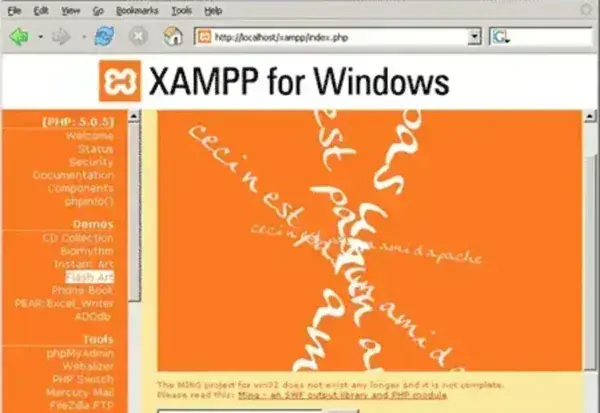
XAMPP provides an all-in-one local web server environment that eliminates the need to separately configure Apache, PHP, a database server, and several common development utilities.
Once running, websites stored in the XAMPP web directory can be accessed through a browser using a localhost address. This allows developers to work on websites locally without requiring an internet connection or a live hosting account.
A portable XAMPP installation can be useful for:
- PHP website development
- WordPress development and testing
- Database application development
- Local website demonstrations
- Learning PHP, MySQL-compatible databases, and web development
- Testing themes and plugins
- Troubleshooting websites before deployment
- Carrying a development environment on a USB flash drive
What Is XAMPP?
XAMPP is an open source web server package developed by Apache Friends. The name refers to the major components traditionally included in the package:
- X: Cross-platform
- A: Apache HTTP Server
- M: MariaDB, formerly associated with MySQL in the XAMPP acronym
- P: PHP
- P: Perl
The package combines these technologies into a ready-to-use local development environment. Instead of installing and configuring every component separately, users can start the required services through the XAMPP control panel.
Complete XAMPP Feature List
XAMPP includes considerably more than just Apache and PHP. The exact components can vary between releases, but the environment can provide the following:
- Apache HTTP Server: Hosts websites and web applications locally through localhost.
- MariaDB: Provides the relational database server used by many PHP applications and content management systems.
- PHP: Runs server-side PHP scripts and dynamic web applications.
- Perl: Provides support for Perl-based web applications and scripts.
- phpMyAdmin: Browser-based interface for creating, managing, importing, exporting, and modifying databases.
- XAMPP Control Panel: Provides a graphical interface for starting and stopping Apache, MariaDB, and other services.
- Localhost Development: Allows websites and applications to be accessed locally through a web browser.
- Virtual Host Support: Can be configured to host multiple local websites from one installation.
- PHP Configuration: Provides access to PHP configuration settings through php.ini.
- Apache Configuration: Allows developers to customize the local web server configuration.
- Database Management: Create and manage databases for local websites and applications.
- PHP Error Testing: Test PHP applications locally before deploying them to a production server.
- WordPress Support: Can be used to create a local WordPress development environment.
- Portable Use: A suitable XAMPP installation can be stored on removable media and used as a portable development environment.
- Cross-Platform: XAMPP is available for multiple operating systems, although portability procedures differ by platform.
What Can You Do With XAMPP Portable?
XAMPP is designed primarily for development and testing rather than production hosting. Its local environment makes it possible to experiment with websites and server-side applications without making them publicly accessible.
For example, you can use XAMPP to:
- Create a local WordPress website.
- Develop PHP applications.
- Create and test MySQL-compatible database applications.
- Test website themes and plugins.
- Experiment with PHP scripts.
- Build websites without an internet connection.
- Demonstrate a website from a laptop or USB drive.
- Test database imports and exports.
- Troubleshoot PHP applications before deploying them.
- Learn how Apache, PHP, and databases work together.
XAMPP Portable and WordPress
One of the most popular uses for XAMPP is creating a local WordPress installation.
Because WordPress requires a web server, PHP, and a MySQL-compatible database, XAMPP provides the core components needed to run WordPress locally.
A typical workflow is:
- Start Apache and MariaDB from the XAMPP Control Panel.
- Create a database using phpMyAdmin.
- Copy the WordPress files into the XAMPP web directory.
- Open the WordPress installation through localhost.
- Enter the database credentials.
- Complete the WordPress installation.
- Develop and test the site locally.
This is particularly useful when developing a new website or testing WordPress themes and plugins before making changes to a live site.
How to Run XAMPP Portably from a USB Drive
XAMPP can be configured for portable use by placing the XAMPP directory on removable storage. The exact procedure depends on the XAMPP release and the package being used.
A general Windows workflow is:
- Download a compatible XAMPP package from the official Apache Friends project or a trusted distribution source.
- Extract or install XAMPP into a folder on your USB flash drive.
- Open the XAMPP directory.
- Launch xampp-control.exe.
- Start Apache.
- Start MariaDB.
- Open a web browser and visit http://localhost/.
- Place your website files in the appropriate XAMPP web directory.
- Use phpMyAdmin when you need to create or manage databases.
When moving a portable XAMPP installation between computers, remember that drive letters can change. XAMPP includes tools and configuration mechanisms intended to help update paths when the installation location changes, but portable installations should always be tested after being moved.
Important: Always stop Apache, MariaDB, and any other running XAMPP services before removing the USB flash drive. Removing the drive while services are still running can result in corrupted files or databases.
XAMPP Portable vs Uniform Server
XAMPP and Uniform Server are both useful choices for local Windows web development, but they approach the task differently.
| Feature | XAMPP | Uniform Server |
|---|---|---|
| Primary Purpose | Complete local web development environment | Portable Windows web server |
| Apache | Yes | Yes |
| PHP | Yes | Yes |
| Database | MariaDB | MySQL-compatible database depending on version |
| phpMyAdmin | Yes | Yes |
| Portable Use | Possible | Designed with portability in mind |
| Control Panel | Yes | Yes |
| Best For | Full-featured PHP development and testing | Lightweight portable Windows web development |
XAMPP is generally the better choice when you want a familiar all-in-one development environment with a large user community. Uniform Server can be attractive when portability and a Windows-focused WAMP environment are more important.
XAMPP Portable Security
XAMPP is intended primarily for local development and testing. It should not be treated as a production-ready public web server simply because Apache and MariaDB are included.
A default development environment may expose services or use configuration settings that are appropriate for localhost development but not appropriate for an internet-facing server.
If you are using XAMPP on a laptop or USB drive for local development, keep the services stopped when they are not required and avoid exposing the development server directly to the public internet.
XAMPP Specifications and Download
- Application: XAMPP
- Developer: Apache Friends
- Category: Web Server / WAMP / PHP Development
- License: Open Source
- Price: Free
- Web Server: Apache
- Database: MariaDB
- Programming Language: PHP
- Additional Language: Perl
- Database Manager: phpMyAdmin
- Supported Platforms: Windows, Linux, and macOS versions are available
- Portable Use: Yes, with appropriate packages and configuration
- Editor's Rating: ★★★★★
- Official Website: Apache Friends
- Download: XAMPP Download
Frequently Asked Questions
What is XAMPP Portable?
XAMPP Portable is a version or configuration of the XAMPP development environment that can be stored on removable media and used as a local web server without requiring a conventional system-wide installation.
Is XAMPP free?
Yes. XAMPP is free and open source software distributed by Apache Friends.
What does XAMPP stand for?
XAMPP traditionally refers to Cross-platform, Apache, MySQL or MariaDB, PHP, and Perl. The database component bundled with modern XAMPP releases is MariaDB.
Can XAMPP run from a USB flash drive?
Yes. XAMPP can be configured for portable use by placing the server environment on removable storage. The installation should be tested after moving it between computers because drive letters and system configurations can change.
Can I run WordPress with XAMPP?
Yes. XAMPP provides Apache, PHP, and MariaDB, which are the primary server components required to run a local WordPress installation.
Does XAMPP include phpMyAdmin?
Yes. XAMPP includes phpMyAdmin for browser-based management of MariaDB databases.
Can XAMPP be used without an internet connection?
Yes. Once XAMPP and your website files are available locally, websites and PHP applications can be developed and tested through localhost without an internet connection.
Is XAMPP suitable for production websites?
No. XAMPP is primarily intended for development, testing, and demonstrations. A production web server should be properly secured and configured for its intended public-facing environment.
What is the difference between XAMPP and a live web server?
XAMPP provides a local development environment that runs on your computer. A live web server hosts a website for users to access over a network or the internet and requires appropriate production security and configuration.
Final Thoughts
XAMPP remains one of the most recognizable all-in-one web development environments for Windows. By combining Apache, MariaDB, PHP, Perl, and phpMyAdmin, it gives developers the essential components needed to build and test dynamic websites locally.
Its ability to be used from removable storage also makes XAMPP interesting for anyone building a portable web server or USB development toolkit. Developers can carry their local websites and server environment with them and launch the services when needed.
The biggest advantage of XAMPP is convenience. Rather than manually configuring a web server, PHP runtime, database server, and database management interface, you get a coordinated development environment in one package.
For WordPress developers, PHP programmers, students, web designers, and anyone who needs a local localhost web server, XAMPP is a practical choice. If portability is your primary concern, you should also compare it with Uniform Server and other portable WAMP solutions.
For development and testing rather than production hosting, XAMPP Portable remains a useful way to carry a complete PHP web development environment on a USB flash drive.
