USB Flashdrive Tools Category


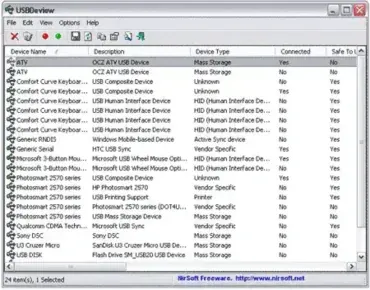
USBDeview – USB Device Information Tool

USBDeview is a free portable application that lists all connected USB devices, hubs and USB devices that have been previously connected to your system. Extended information about each USB device is also displayed such as serial number, device name and description, device type, VendorID, ProductID, the date and time the device was connected and much more. Moreover, USBDeview allows you to easily remove (eject) connected USB devices from your system and the tool can even be used remotely with administrative rights.

Learn More about this Portable Application…

CheckUDisk – USB Flashdrive Information Tool

CheckUDisk – USB Flashdrive Information Tool

CheckUDisk is a Free utility that can be used to retrieve hard coded information about your USB device. This information includes Device Name, Drive Letter, VID and PID Numbers, Vendor ID, Product ID, Product Revision, Vendor Description, Product Description and Serial Number of the USB device. The CheckUDisk tool is completely stand alone, requiring no installation to the host PC. You'll need 132KB of Free space for portable installation.

Learn More about this Portable Application…

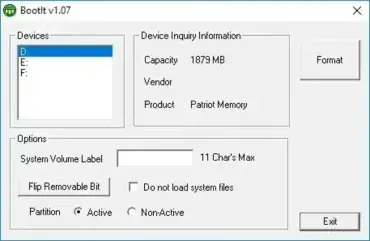
BootIt – Lexar USB Flip the Removable Media Bit Tool

BootIt – Lexar USB Flip the Removable Media Bit Tool

BootIt is a tool offered by Lexar that enables a user to format a USB flash drive, set a volume label, set a (bootable) active partition and most importantly, "Flip the Removable Media Bit" (RMB) on the USB device to allow windows to see the USB device as a fixed disk, rather than removable media. Flipping the Removable Media Bit on a USB flashdrive will allow a user to setup, see and use multiple partitions on the USB flashdrive from Windows. This tool was developed for Lexar drives. However, we have had success using the Flip the Removable Bit feature on various brands of USB flash drives.

Learn More about this Portable Application…