System Hardware Information Category


CrystalDiskInfo – Hard Drive Monitor

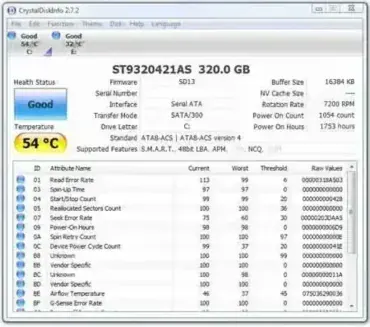
CrystalDiskInfo is a Portable Hard Drive Monitor. The Disk Monitor can be used to determine the status, temperature and overall health of your HDD or SSD drives. Crystal Disk Info also lists how many hours a hard disk has been running and the number of times that the hard drive has been powered on.

Learn More about this Portable Application…

GPU-Z – Video Card Information Tool

GPU-Z – Video Card Information Tool

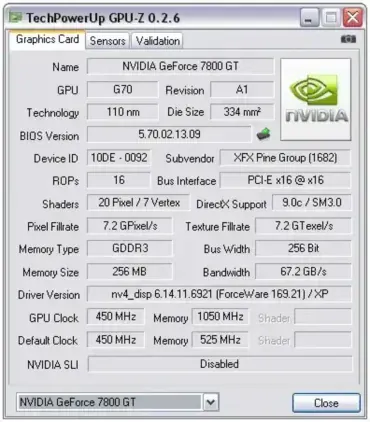
GPU-Z is a Free and lightweight portable software utility that was created to list all of the information regarding your Video Card and Graphical Processing Unit (GPU). With GPU-Z, a user can retrieve important video card information such as; device ID, name, subvendor name, GPU and Memory clock speed, driver version, BIOS version, bus interface, temp, fan speed and much more. Best of all, this free video card software tool can be stored and run entirely from a USB flash drive.

Learn More about this Portable Application…

USBDeview – USB Device Information Tool

USBDeview – USB Device Information Tool

USBDeview is a free portable application that lists all connected USB devices, hubs and USB devices that have been previously connected to your system. Extended information about each USB device is also displayed such as serial number, device name and description, device type, VendorID, ProductID, the date and time the device was connected and much more. Moreover, USBDeview allows you to easily remove (eject) connected USB devices from your system and the tool can even be used remotely with administrative rights.

Learn More about this Portable Application…

CheckUDisk – USB Flashdrive Information Tool

CheckUDisk – USB Flashdrive Information Tool

CheckUDisk is a Free utility that can be used to retrieve hard coded information about your USB device. This information includes Device Name, Drive Letter, VID and PID Numbers, Vendor ID, Product ID, Product Revision, Vendor Description, Product Description and Serial Number of the USB device. The CheckUDisk tool is completely stand alone, requiring no installation to the host PC. You'll need 132KB of Free space for portable installation.

Learn More about this Portable Application…

SpeedFan – Portable Fan Speed and Temp Control

SpeedFan – Portable Fan Speed and Temp Control

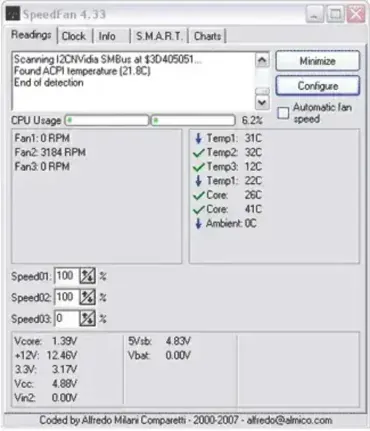
SpeedFan is a system tool that can read the temperatures, voltages and fan speeds and check the status of your hard disk using S.M.A.R.T. or SCSI attributes in computers with hardware monitor chips. It can be used to change the speed of the fans in your computer to keep it from overheating. SpeedFan can be run portably from a USB device and requires no installation to the host PC. It is fully configurable and you can create custom events to automatically handle every situation. SpeedFan requires roughly 3.76MB of free space for portable installation.

Learn More about this Portable Application…

AIDA32 – System Information Tool

AIDA32 – System Information Tool

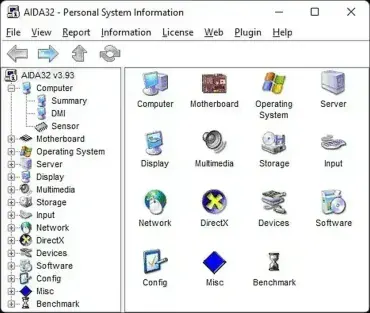
AIDA32 is a Portable System Information Tool. It can be used to retrieve information related to the hardware and software installed on the machine it is run from. AIDA32 ships with a built in hardware database and can display detailed information for CPU, chipset, memory, motherboard, hard disks, optical drives and more. The user has the option to print the information or save it as a report in HTML, CSV and XML formats. There is also a built in diagnostics module can help you locate potential problems.

Learn More about this Portable Application…

WinAudit – System Hardware Information Tool

WinAudit – System Hardware Information Tool

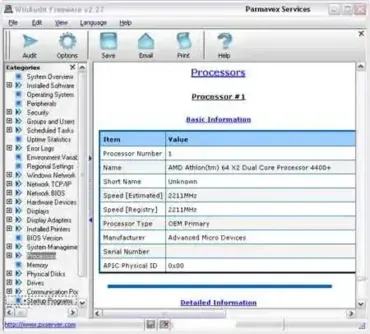
WinAudit is a FREE portable hardware and software information tool. It enables a user to perform a detailed audit of the hardware and software and it's related configuration on your computer. WinAudit can report all installed software, programs, startup programs, license information, hardware peripherals, processor model, memory usage, network settings and much more. The user has the option to export to the results to a text file, web page, XML and spreadsheet, send to email or even a database. This portable system information tool requires roughly 832KB for complete stand alone installation.

Learn More about this Portable Application…

CPU-Z – Portable System Information

CPU-Z – Portable System Information

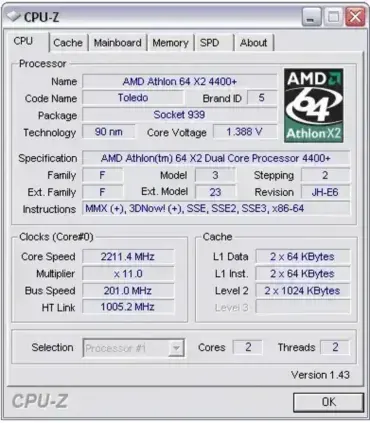
CPU-Z is a tiny tool that can be used to check and display CPU, Memory, Motherboard and Operating System information (including Direct X version). It does not need to be installed on the computer you are checking and is less than 1.3MB extracted, making it a perfect portable application to put on your USB flash drive.

Learn More about this Portable Application…

PC Wizard – Portable Diagnostics and Benchmarking

PC Wizard – Portable Diagnostics and Benchmarking

PC Wizard is yet another great portable diagnostics and benchmarking utility that includes some great tools. It can detect an analyze computer hardware, display complete system information and even benchmark parts of your computer system. PC Wizard is multilingual and supports English, French, German, Serbian, Slovak, Russian and Greek languages.

Learn More about this Portable Application…

ReSysInfo – System Information Viewer for Windows

ReSysInfo – System Information Viewer for Windows

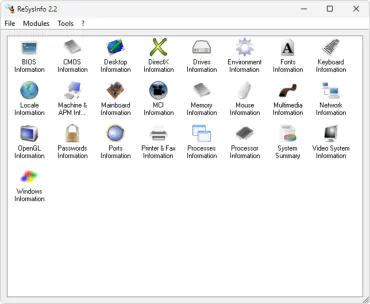
ReSysInfo is another great stand alone portable Windows System Information tool. ReSysInfo is very easy to navigate and use. It contains twenty five information modules and currently can detect most computer technologies. This tool gathers detailed system information regarding your motherboard, Bios, video, network, memory, processor and much more. Gathered information can be exported in plain text, HTML and XML.

Learn More about this Portable Application…

SIW – Portable System Information for Windows

SIW – Portable System Information for Windows

SIW is a portable system information and diagnostics tool for Windows. A software application that can tell you "everything you ever wanted to know about your Windows operating environment". SIW can tell you what programs are running at startup, programs that are installed, settings, properties and detailed specs of your computer hardware/software. You can even recover passwords and monitor your computer hardware/software with this utility.

The best thing is that it's able to run directly from a portable USB flash device. So now you can take your portable computer diagnostics software with you anywhere and everywhere you go.

Learn More about this Portable Application…