Portable System Tools Category


Windows Enabler – Enable Grayed Out Buttons

Windows Enabler is a Free Portable Tool that enables it's user to Enable Grayed Out Buttons. If you have ever needed to force an option in Windows but can't because the option is grayed out, this tool might help you. Windows Enabler can help enable disabled window controls, enable tick boxes, buttons and other controls that are normally disabled. The Enabler tool runs in the system tray and can be turned on or off by simply clicking it's icon.

Learn More about this Portable Application

Fat32 Format – Format larger than 32GB

Fat32 Format - Format larger than 32GB

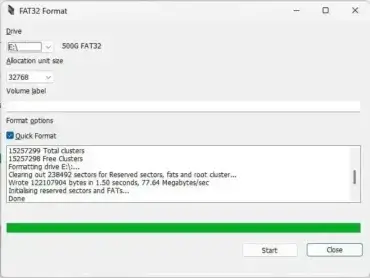
Fat32 Format is a Portable GUI tool that allows you to Format a drive as Fat32 even if the volume is larger than the 32GB limit imposed by Windows. By default, Windows XP won't let you format a volume bigger than 32GB with FAT32. The Fat32 Format Utility easily works around this limitation and enables you to format a device up to 2TB in size. Useful for formatting large external USB Hard Drives as Fat32 that cannot be formatted using default Windows format tools.

Learn More about this Portable Application

Unlocker – File and Folder Unlocker

Unlocker - File and Folder Unlocker

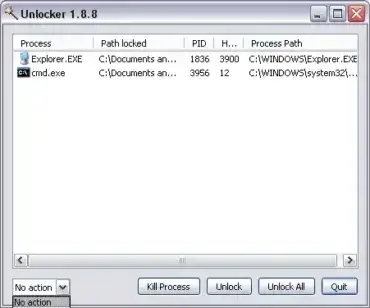
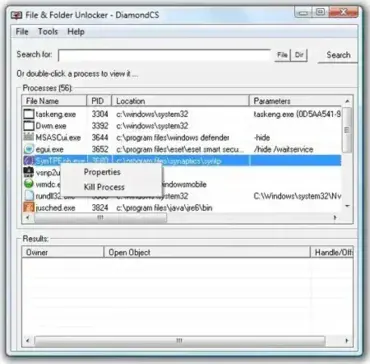
Unlocker is Free and Portable File and Folder Unlocking utility. It can be used to unlock Files and Folders that are in use by a process. It works by allowing you to stop or kill the running processes that may be keeping you from copying, moving, deleting, renaming or otherwise  modifying a file or folder.

Learn More about this Portable Application

Rizone's Power Tools – Window Maintenance

Rizone's Power Tools - Window Maintenance

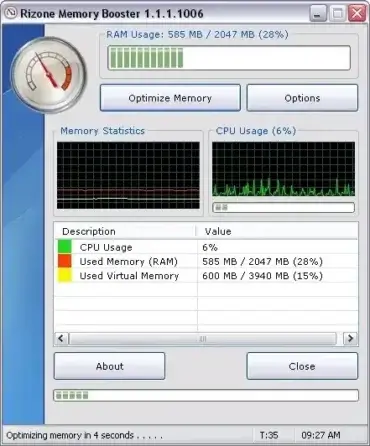
Rizone's Power Tools is a Free and Portable Tools and Utilities suite. Offering an extensive set of Windows Maintenance Tools at your fingertips to help you maintain your PC. Rizone's Power Tools can be used to Optimize Memory, Optimize Registry, Defrag Computer, Disk Cleanup, Flush File Buffers, Scan for Viruses using Clamwin or other scanners, access administrative tools and much more.

Learn More about this Portable Application

FCleaner – Windows Cleaner

FCleaner - Windows Cleaner

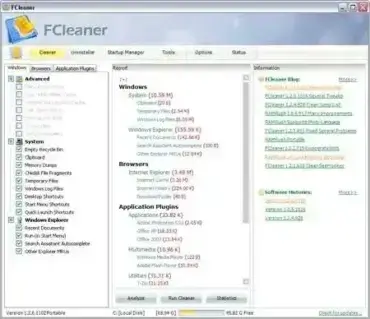
FCleaner is a Free and Portable Windows disk and registry cleaning and optimization tool. It can help keep your computer system running smooth, fast and at it's peak potential.  FCleaner can remove unused files and remove invalid registry entries that clutter up hard drive and slow your system down. The tool can also erase traces of your online activities by clearing your Cookies and Internet History. Additionally, FCleaner provides an add remove program uninstaller, Windows startup programs manager and quick access to other commonly used windows tools.

Learn More about this Portable Application

MBRWizard – MBR Manager

MBRWizard - MBR Manager

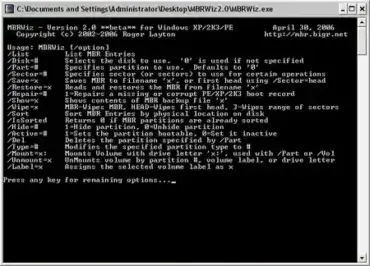
MBRWizard is a Free Portable command line (Master Boot Record) MBR Manager created by Roger Layton. It can be used to address all types of Master Boot Record (MBR) problems. MBRWizard functions include; list MBR entries, backup a MBR, restore MBR from backup, repair MBR, list partitions, delete partitions and can even be used to create a bootable USB flash drive in Windows 7 .

Learn More about this Portable Application

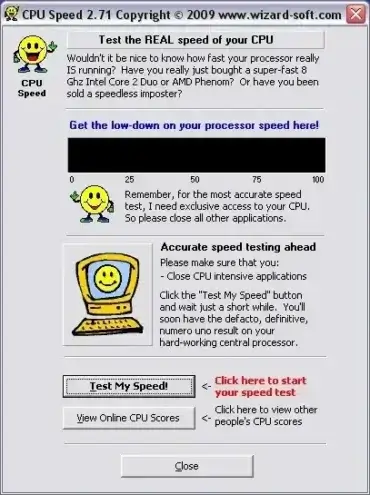
CPU Speed – Processor Speed Test

CPU Speed - Processor Speed Test

CPU Speed is a Free and Portable Processor Speed Testing tool that can be used to calculate the true speed of your processor. The tiny utility reports your REAL CPU Speed in Mhz. A great tool to have handy for system builders and overclockers alike.  Determine and diagnose CPU processing speed quickly with a simple click. CPU Speed also allows you to upload your CPU Speed Test results to view and compare them against other users results.

Learn More about this Portable Application

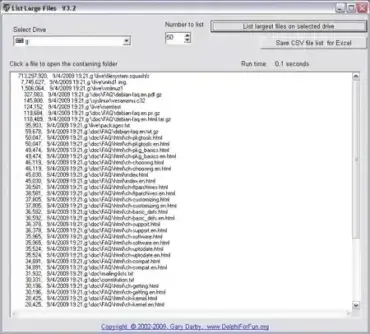
List Large Files – List the largest files in Windows

List Large Files - List the largest files in Windows

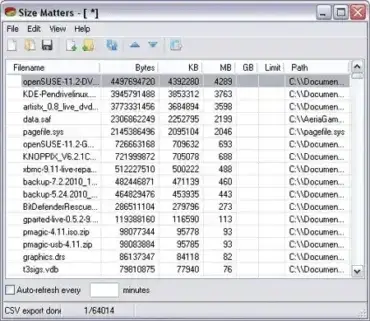
List Large Files is a Free Portable Application that can be used to List the Largest Files on your Computer. List Large Files uses a GetFiles method to recursively search directories on a drive. It then compiles a string list of these files and sorts the resulting list by size. Clicking a listed file will bring you to it's corresponding directory. Features include the ability to specify which drive to search and the number of large files to display. Results can be saved to a CSV file for Excel.

Learn More about this Portable Application

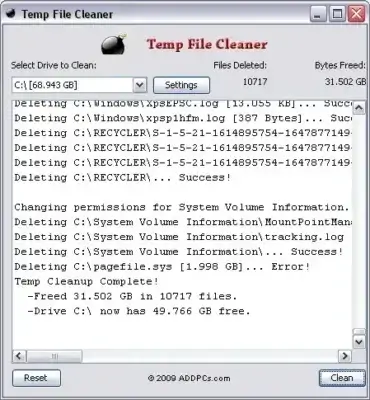
Temp File Cleaner – Delete Temp Files

Temp File Cleaner - Delete Temp Files

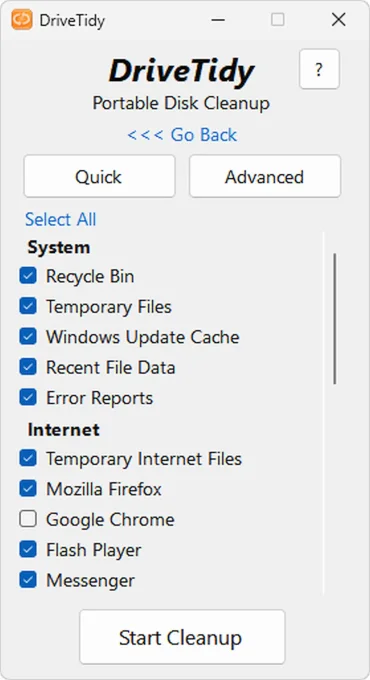
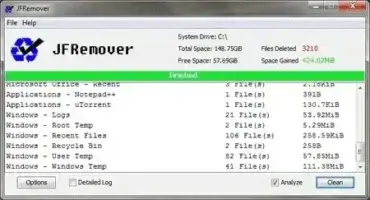
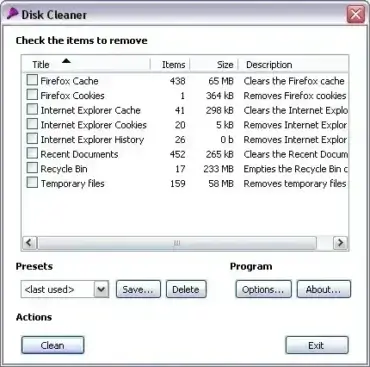
Temp File Cleaner is a Free Portable Tool that can be used to Delete Temp Files. Designed to Remove Temp Files from a hard drive in an attempt to help reclaim hard drive space and keep your computer running smoothly. Options include; Delete Temporary Internet Files, Delete Windows Cache, Delete Cookies, Delete History, Delete User Temp, Delete Windows Update Cache, Delete Recent Files, Empty Recycle Bin, Delete System Restore Data, Delete Windows Prefetch and more.
Note: I reclaimed 31.5GB of disk space using this tool. That's impressive clutter cleanup!

Learn More about this Portable Application

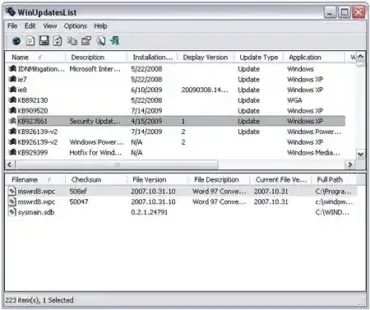
WinUpdatesList – List Windows Updates and Hotfixes

WinUpdatesList - List Windows Updates and Hotfixes

WinUpdateList is a Free tool that can be used to View Installed Windows Updates, Service Packs and Hotfixes that are currently installed on your local PC. WinUpdateList also enables you to uninstall or remove an update, copy information to the clipboard, or export the information.  A clickable link to the corresponding Microsoft Update or Hotfix support page is available providing more information about each update.

Learn More about this Portable Application

Add/Remove Programs – Absolute Uninstaller

Add/Remove Programs - Absolute Uninstaller

Absolute Uninstaller is a Free Utility that can be used to manage installed programs.The Add/Remove program utility that ships with Windows does not fully uninstall applications, leaving unnecessary files behind and program entries in your registry which can eventually impact your computers performance causing your PC to become slower. Absolute Uninstaller utilizes an Uninstall Manager that attempts to completely remove programs, their registry entries and any files left behind to help maintain your computers performance.

Learn More about this Portable Application

Unlock File In Use – File and Folder Unlocker

Unlock File In Use - File and Folder Unlocker

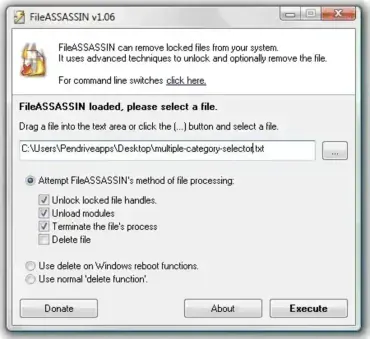
File and Folder Unlocker by DiamondCS is a Free Tool that can be used to Unlock a File in Use. The File and Folder Unlocker offers complete control over locked files and folders on your Computer. Kill Running Processes and then Delete Files in Use without rebooting your Computer. The tool can be used to Unlock Files and Delete Locked Files when you get error messages like the following:

Learn More about this Portable Application

NetCheck – Internet Connection Tester

NetCheck - Internet Connection Tester

NetCheck is a Free, simple Internet Connection Tester. It can be used to "check the status of your internet connection" by attempting DNS resolve and TCP connection tests. The DNS test allows NetCheck to test if your system can currently resolve Internet addresses to their respective numeric IP addresses, and the TCP test determines if your system is able to connect to servers on the Internet. Just launch NetCheck and press the Start button to run the test.

Learn More about this Portable Application

Edit Startup Programs – Autostart Viewer

Edit Startup Programs - Autostart Viewer

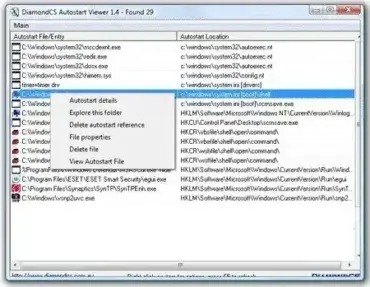
Autostart Viewer by DiamondCS is a Free Software that enables you to Disable or Edit Startup Programs or Autoruns (applications that are started when Windows starts). By running the tool, you can view the details of all running autostarts on your system and then choose to modify, edit, disable or delete the programs from starting with Windows. Autostart Viewer is completely stand alone or portable, requiring no installation to the PC.

Learn More about this Portable Application

Add Remove Program Cleaner

Add Remove Program Cleaner

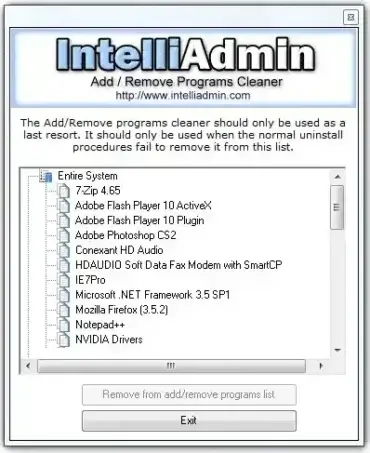
Add Remove Program Cleaner is a Free Portable Utility that can be used to clean up, uninstall or remove program entries (Uninstall Broken Software Installs) from the Add/Remove programs list. The tool enables you to remove any program entries that are broken or cannot be removed by running the uninstall program or application.  Add Remove Program Cleaner is a Portable Program Uninstaller that can be stored and run entirely from a portable USB device.

Learn More about this Portable Application

CrystalCPUID – CPU Info Utility

CrystalCPUID - CPU Info Utility

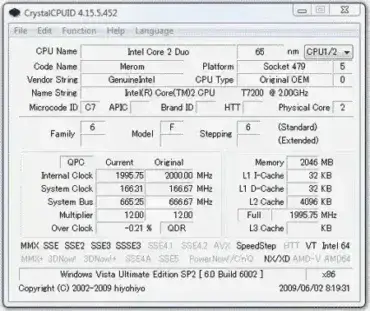
CrystalCPUID  is a Free Portable CPU Utility that can be used to display CPU Info. Important processor related information such as CPU Name, Code Name, Vendor Sting, Name String, Microcode ID, Stepping, Clock Speed, System Bus, Multiplier, L1, l2 and l3 cache and more. System BIOS, Version, Chipset and Motherboard information is also available. Moreover, you can manage your multiplier in some cases. This option did not work in Vista for us.

Learn More about this Portable Application

CrystalMark – Free System Benchmark

CrystalMark - Free System Benchmark

CrystalMark is an all-in-one Free System Benchmark Tool. It is a total system benchmarking software application that can be used to test your CPU, HDD Memory and GDI, Direct Draw, OpenGL Video Card. Detailed benchmark reports can be saved as a text or HTML file. CrystalMark also doubles as a system hardware information tool and can be stored and run entirely from a portable device.

Learn More about this Portable Application

CrystalDiskMark – Disk Benchmark

CrystalDiskMark - Disk Benchmark

CrystalDiskMark is a simple and Free Portable HDD Disk Benchmark or Hard Drive Benchmark tool. It can be used to test sequential, and random 4k and 512k read and write speed of local, external or networked hard drives in a range of sizes. The benchmark results can then be copied and stored to a text file.

Learn More about this Portable Application

System Explorer

System Explorer

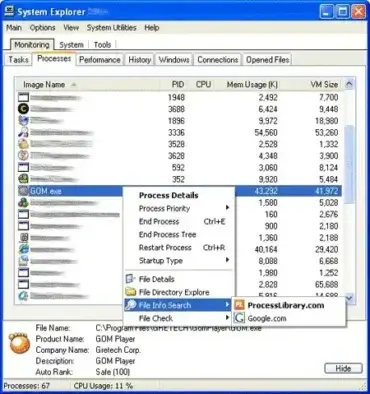
System Explorer is a Free portable tool that can be used to display detailed information about Windows processes, Tasks, Modules, Startup Entries, Drivers, IE Addons, Uninstallers, Services, Connections and Opened Files. The Build System Report feature can be used to create a detailed text report containing all of the essential information about your Computer System. The report can then be saved to a rich text file.

Learn More about this Portable Application

SIV – System Information Viewer Tool

SIV - System Information Viewer Tool

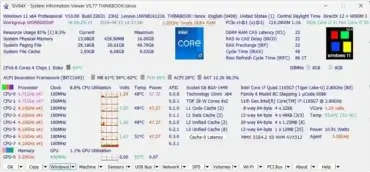
SIV is a Portable System Information Tool that can be used to view hardware and software information related to the system it is being run from. For example, SIV could be used to display Windows info, Network info, Hardware device info, CPU info, PCMCIA info, PCI info, USB info, Hardware Sensors, Machine Info, Operating System Information and much more. Best of all, this System Information Tool can be carried with you on a portable USB device.

Learn More about this Portable Application

CrystalDMI – BIOS Information

CrystalDMI - BIOS Information

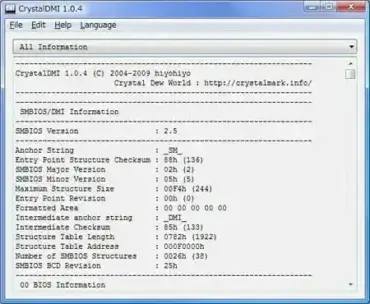
CrystalDMI is a Free Portable Utility that can be used to display SMBIOS (System Management BIOS) BIOS information via a DMI (Desktop Management Interface). BIOS, System, Motherboard, Processor, Memory, Cache information, System Slots, System Boot information and much can be retrieved and displayed right on your desktop.

Learn More about this Portable Application

Your Cleaner – Portable PC Cleaner

Your Cleaner - Portable PC Cleaner

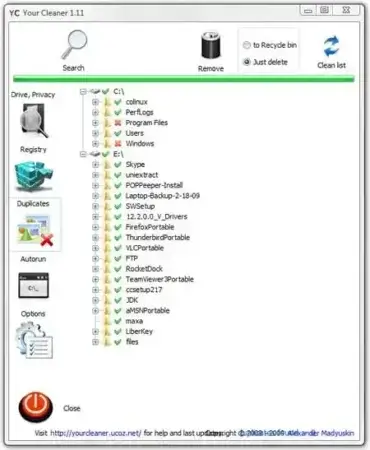
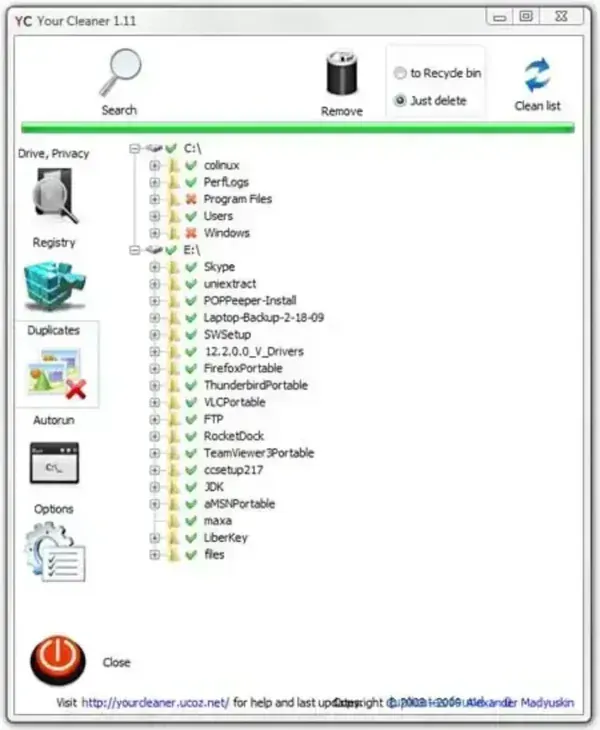
Your Cleaner is a Free Portable PC Cleaning and System Optimization Tool that can be used to help keep your your computer clean and running like new. The tool can remove traces of online activities including Typed URLs, Download History, Cache, Cookies, Auto Completion and Saved Passwords. Your Cleaner can also remove temporary files, clean and optimize your system registry and remove duplicate files. Moreover, an autorun manager is included that enables it's user to disable or enable programs that run at startup.

Learn More about this Portable Application

WhatInStartup – Remove Startup Programs

WhatInStartup - Remove Startup Programs

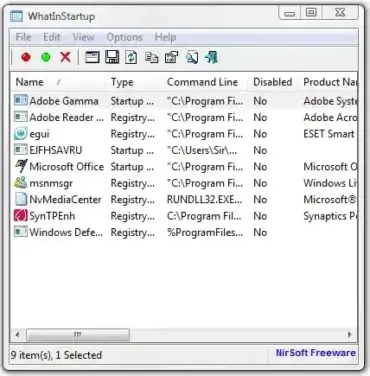
WhatInStartup is a Free Startup Manager that can be used to Manage, Disable or Remove Startup Programs that Start with Windows. The utility displays any applications that are loaded automatically when Windows starts up. A user can then delete or disable any of these programs from running at Windows startup. The Startup Manager also features a permanent disable option to keep any program from ever loading at startup again.

Learn More about this Portable Application

The PC Decrapifier – Remove Bloatware

The PC Decrapifier - Remove Bloatware

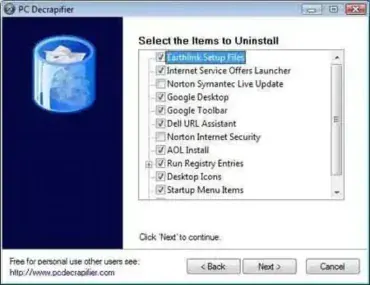
The PC Decrapifier is a portable application that can uninstall or remove trialware and unnecessary software (bloatware) that is normally included and ships with many OEM PCs from big name manufacturers like Dell, HP, Gateway, etc. Some examples of the software that the PC Decrapifier can detect and remove are Hp Rhapsody, AOL, Google toolbar, Dell URL assistant, Microsoft Office trialware, Internet service offers and much much more . When using this tool, you can view the list of items it detects and then choose what will be removed. And because it can be run portably, you can even decrapify your friends PC's for them.

Learn More about this Portable Application

StartUpLite – Remove Startup Programs

StartUpLite - Remove Startup Programs

StartUpLite is a portable application that gives it's user the ability to manage, disable or Remove Startup Programs from a computer. Removing unnecessary system startup entries can, in some cases, allow for a quicker Windows system boot. The StartUpLite user interface is very simple and easy to use. This application requires only 200KB of space making it a great tool to squeeze into your portable collection.

Learn More about this Portable Application

Revo Uninstaller – Application Uninstaller

Revo Uninstaller - Application Uninstaller

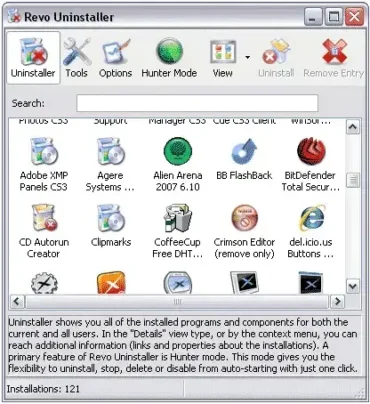
Revo Uninstaller is a powerful portable uninstall tool or utility that can do much more than just add/remove programs. It can be used to remove any unwanted software programs, applications and traces from your computer. Revo Uninstaller has the ability to scan a program's data before uninstalling and can then check for any remnants of the program after it has been uninstalled. In addition, a user can remove unnecessary files, folders and registry keys that may be left over after performing a standard uninstall.

Learn More about this Portable Application

MyUninstaller – Portable Uninstaller

MyUninstaller - Portable Uninstaller

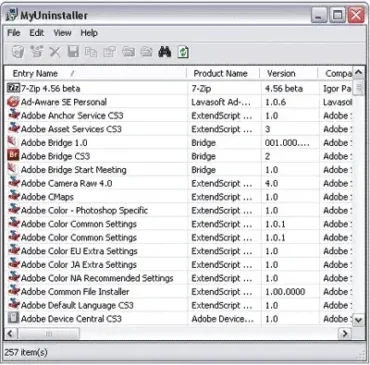
MyUninstaller is a utility that can be used to Add/Remove Programs. With it, you can uninstall an application, delete an uninstall entry, and even save a list of all installed applications to a text file. MyUninstaller also provides additional information about installed software applications that the standard Add/Remove Control Panel applet does not. This portable application uses 68KB of disk space once extracted.

Learn More about this Portable Application

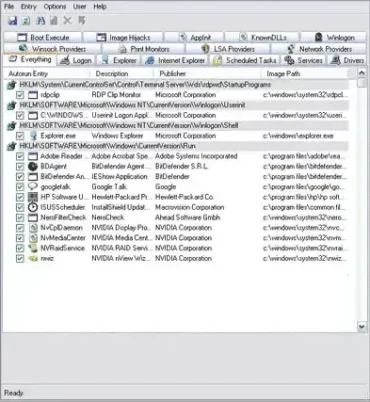
Autoruns – Startup Monitor

Autoruns - Startup Monitor

Autoruns is a startup monitor application that can show you what programs have been configured to run during system bootup. It shows you the entries in the order Windows processes them. Autoruns has the ability to give you more detailed information than the MSConfig utility that ships with Windows XP. This tool uses 1.1MB of space extracted.

Learn More about this Portable Application