Password Managers
Portable password managers store login details in a password database or vault, which can be carried on a USB drive when the application supports portable use. This category includes several password storage tools with different designs and maintenance histories. Before choosing one, check its encryption and key-derivation methods, operating-system compatibility, update history, backup process, and whether it requires installation or an online account.
Portable Password Vaults: Portable Password Manager, KeePass Password Safe, and Password Safe are options to investigate for storing logins in a password database. Review each tool’s current version and security documentation before trusting it with important credentials.
Other Password Storage Utilities: The category also includes Sisma, Access List, Yadabyte Passwords, and nPassword. These listings vary in age, so verify that downloads are still available and that the software is maintained and compatible with your system before use.
Protecting a Password Vault: A USB drive is a convenient way to carry a vault, but portability alone does not secure it. Use a strong, unique master password, keep an encrypted backup in a separate safe location, and test that you can restore the vault. Never share the master password or leave an unlocked vault unattended on a shared computer.
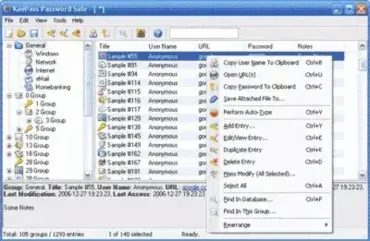
KeePass Password Safe is yet another great Portable Password Manager that can be run directly from a portable USB device. This application allows you to put all of your passwords in one database, which is then locked with a single password or master key disk. So you only have to remember one password or insert the key disk to unlock or gain access to the whole database.
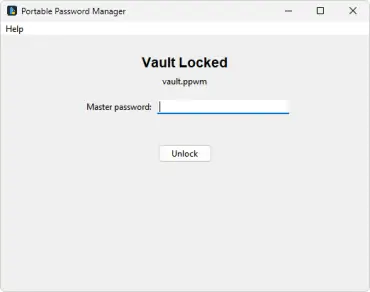
Portable Password Manager is a simple standalone, free password manager created by Pendriveapps.com, that runs entirely from a USB drive. There's nothing to install, no account to create, and no cloud involved - you unlock it with one master password, and all your saved logins are right there in one Password Vault.
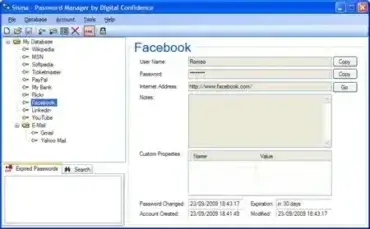
Sisma is a Free Password Manager that can be stored and run entirely from a portable device. This password management software or password safe saves your important passwords and account login details in a secure database. The database is encrypted using strong 256-bit advanced encryption to help keep your passwords protected.
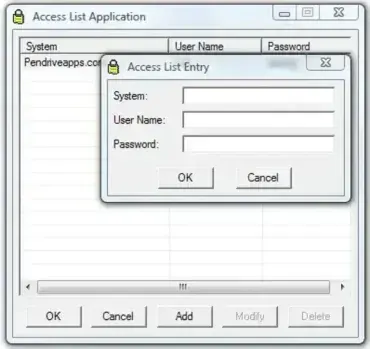
Access List is a Portable Password Manager. This free password managing software can be used to keep a log or list of the usernames and passwords you use for various applications. It is designed to help users securely store and manage sensitive information such as website logins, FTP credentials, email accounts, software subscriptions, and even game subscription details. The portable password managing utility is self-explanatory, lightweight, and very easy to use.
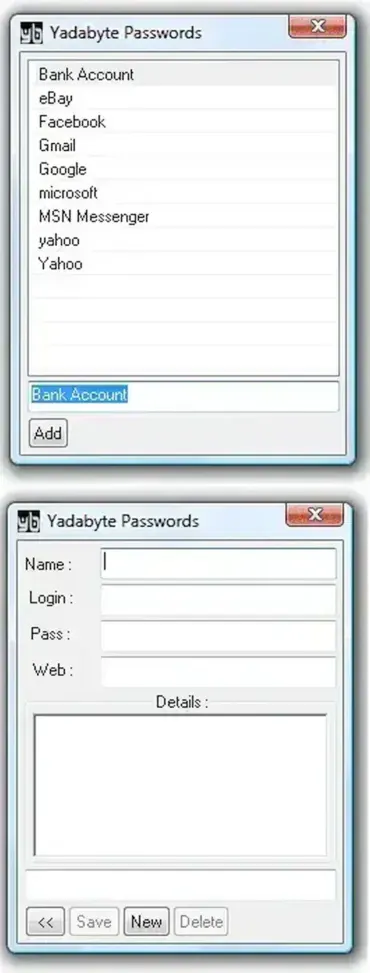
Yadabyte Passwords is a tiny, free, portable password manager that uses AES 256 encryption to protect your login and password information. This standalone application enables you to securely store all your passwords in an encrypted database and access them with a single master password. With a clean and minimal GUI, it remains one of the simplest and most lightweight portable password managers available.
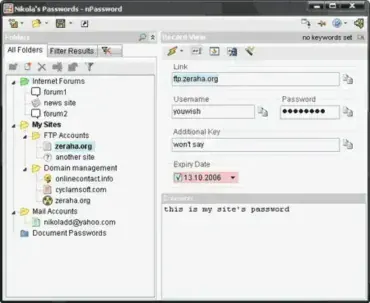
nPassword is another portable password storage tool that can be used to encrypt and securely store your passwords. It claims to be even more secure than it's competitors. It uses 256bit AES encryption technology.
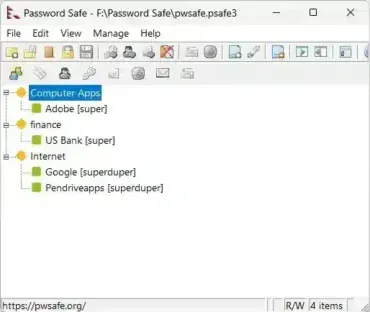
Password Safe is a portable password manager. A free password keeper data storage utility that can be used to securely store your important passcodes in a database, and then easily retrieve them via one password. With it, you can keep your passwords securely encrypted and bring them with you.

