Portable Internet Tools
Portable internet tools cover small utilities for troubleshooting connectivity, monitoring bandwidth, inspecting IP information, and reviewing browser-related data. This collection includes network repair and diagnostics tools alongside utilities for viewing cached pages, download records, and browsing history. Many browser-history utilities were designed for older browser versions, so verify current compatibility and supported data formats before relying on them.
Test and Repair Internet Connections: Simple Ping can help check whether a host responds over the network, while Complete Internet Repair provides selected Windows network repair functions. Review what a repair tool changes before applying fixes, and consider creating a restore point if it modifies system settings.
Monitor Bandwidth and Inspect IP Information: NetWorx is listed for tracking network traffic and bandwidth use. IPInfoOffline provides IP address information from its available data source. Results can be limited by the version, data freshness, network configuration, and permissions.
View Browser Cache, Downloads, and History: FirefoxDownloadsView, OperaCacheView, IECacheView, and MozillaCacheView are examples of utilities for inspecting data associated with particular browsers. Mozilla History View and IE History View address browsing-history records. These entries may not work with current browser storage formats, and modern browsers can change their profiles and databases between releases.
Legacy Web Data and Search Utilities: FlashCookiesView relates to legacy Flash data, while Google Hacks and My Last Search are older search-related utilities. Treat these as historical or specialized tools unless their current functionality and download sources are verified.
Privacy and Safe Use: Browser caches and history can reveal visited sites, account activity, and other sensitive information. Only inspect browser profiles you own or are authorized to administer, and do not share exported records without reviewing them for private data. A portable utility may still access or modify data stored on the host computer; back up relevant profiles before using tools that change or delete browser records.
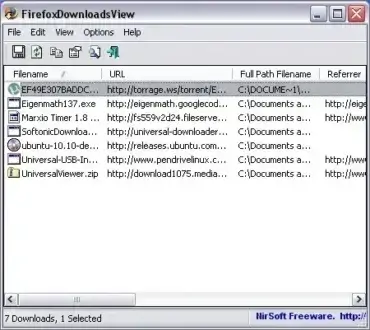
FirefoxDownloadView is a Portable Free Software Tool offered by NirSoft. It can be used to View Firefox Download History by displaying a list of files downloaded with Firefox, along with detailed firefox download information such as; Download URL, Download Filename, Path to Download, Referrer, MIME Type, File Size, Start + End Time, Download Duration, and Download Speed. List can be exported to a file.
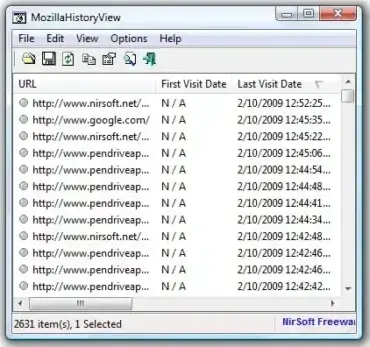
Mozilla History View is a Free portable utility that can be used to display a list of recently visited websites or webpages. Mozilla History View works by reading the history data file of Mozilla, Firefox and Netscape browsers to display a log of the visited Web pages. URL, First visit date, Last visit date, Visit counter, Referrer, Title, and Host name are displayed for each entry. The history data can then be exported to a text HTML or Xml file.
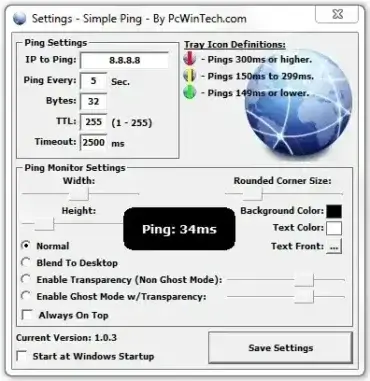
Simple Ping is a small Windows utility from PCWinTech that displays ping response times so you can monitor connection latency while browsing or gaming. It can be useful when an online game does not show ping clearly or when you want to compare response times while troubleshooting an intermittent connection. A high ping can indicate a delay between your computer and the test destination, but it does not by itself identify the cause of slow downloads or page loading.
Legacy software notice: The developer's page lists Simple Ping version 1.0.3 and older Windows versions, including Windows 2000, XP, Vista, 7, and 8. Current Windows compatibility has not been confirmed. Treat it as a legacy utility rather than a currently maintained network diagnostic tool.
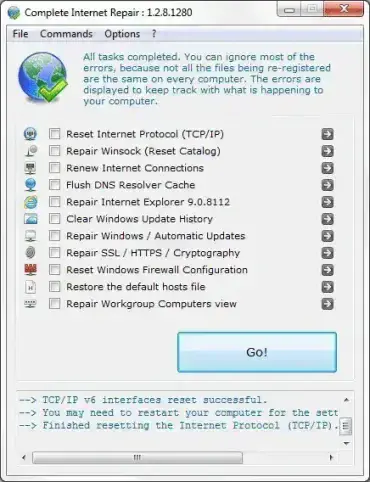
Complete Internet Repair is a no nonsense portable tool created by rizonesoft. As the name suggests, it can be used to attempt to fix or repair any internet related problems with your computer, including network problems. This tool can be particularly handy if you happen to experience one of the following situations.
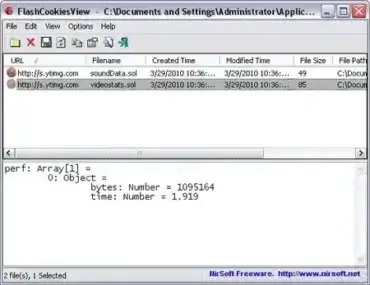
FlashCookiesView is a small, portable freeware utility from NirSoft that was designed to view and manage Flash cookies, also known as Local Shared Objects (LSOs). The program displays Flash-created cookie files stored on a Windows computer and allows users to inspect their contents, export information, or delete selected files.
The privacy tool was particularly useful when Adobe Flash Player and Flash based websites were commonly used. Today, Flash Player has been discontinued and modern web browsers no longer use Flash in the way they once did, so this utility is best regarded as an archived privacy and system utility for examining legacy Flash data.
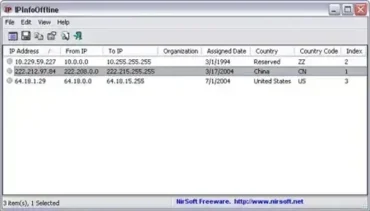
IPInfoOffline is a Free Portable Software that allows you to view detailed information about IP addresses, without connecting to a server on the net. Created by Nirsoft, IPInfoOffline queries a built in database containing information about each IP address. IP block range, Organization, Assigned Date, Country Name, and Country Code are displayed. This information can then be copied to a clipboard, or saved to a xml, html, csv or text file for future reference.
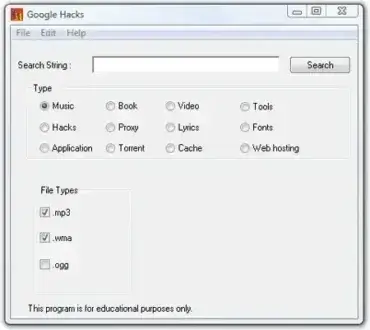
Google Hacks is a portable advanced search utility that compiles dozens of carefully crafted Google search queries into a single, easy to use interface. While most users rely on basic keywords, Google Hacks exposes lesser known search operators and combinations that unlock powerful functionality within Google Search and Google Maps.
This tool makes it easy to perform advanced Google searches for music, software, books, tools, timelines, maps, and other specialized content without memorizing complex search strings.
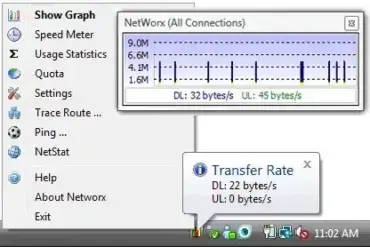
NetWorx is a Free Portable Bandwidth Monitor and Portable Network Monitor that can be used to monitor and chart your bandwidth. It can be used to log bandwidth usage and measure the speed of your Internet or other network connection.
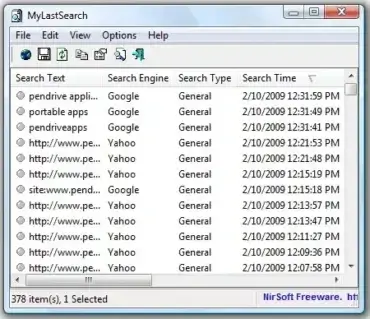
My Last Search. A tool that can be used to view or Reveal Search History. Created by NirSoft, this utility works by scanning the cache and history of your Web browser. The tool then retrieves and displays the latest or most recent queries made with search engines such as Google, Yahoo, and MSN.
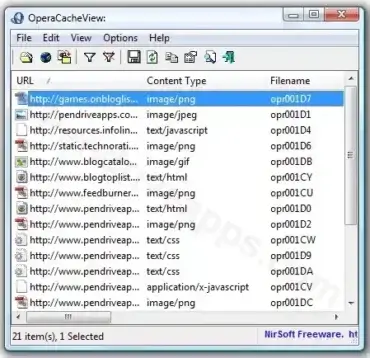
Opera Cache View is a free web page cache viewing tool that can be used to display all files stored in the cache folder of your Opera Web Browser. It can be used to display the cached URL, content type, file size, last accessed time, and last modified time. In addition, a user can copy URLs to a clipboard or extract page cached files to another location.
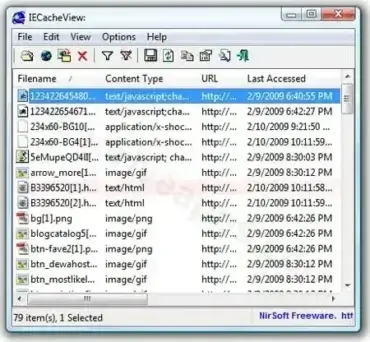
IE Cache View is a Free portable USB tool that can be used to read and display all files stored in the cache folder of Internet Explorer. This cache viewer can display filename, content type, URL, last accessed time, last modified time, expiration time, number of hits, file size, subfolder path and full path to file. You can also delete files, copy URLs to a clipboard and extract the files from the cache list to another location.
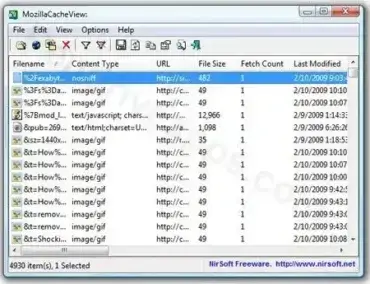
MozillaCacheView is a Free portable USB tool that can be used to read the cache folder, listing all files stored in the cache viewer of a Mozilla, Firefox or Netscape Web browser. You can use it to retrieve filename, content type, URL, file size, last modified time, last fetched time, expiration time, fetch count, server name, etc. The utility also allows you to delete files, copy URLs to a clipboard and extract the files from the cache list to another folder.
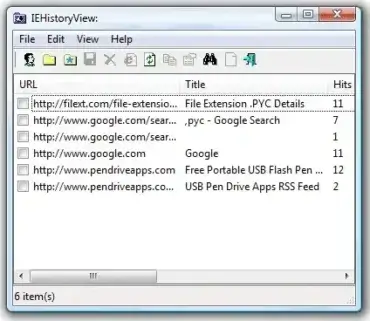
IE History View is a free portable USB tool that allows you to display the URLs recently visited using the Internet Explorer web browser, including local paths. It reads this information directly from the history file stored on your PC. The tool is especially useful for system administrators, IT professionals, or anyone who needs to monitor browser activity.

