Data Encryption Software
Portable encryption tools can protect files, notes, or removable storage by making data unreadable without the required password or key. This category includes individual file encryptors, encrypted-volume utilities, and steganography tools. These approaches are not interchangeable: check what each application protects, which systems it supports, and whether it is actively maintained before using it for sensitive information.
Encrypt and Decrypt Individual Files: Explore Cr!ptAES, OCript, Handy Encryption, and Androsa File Protector for file-level encryption tasks. CryptoForge Decrypter is intended to decrypt files created with the related CryptoForge software, rather than serve as a general-purpose encryptor.
Protect USB Drives and Create Encrypted Volumes: Rohos Mini Drive and FreeOTFE are listed for encrypted storage or volumes, while USB Safeguard focuses on protecting files on a USB drive. These tools can differ significantly in compatibility and maintenance status; confirm that you can access the encrypted data on the computers you intend to use.
Encrypt Notes and Combine Encryption with Backup: LockNote is designed for password-protected notes. Toucan combines encryption features with backup and synchronization tasks. Keep a separate, tested backup of important data and preserve any keys or recovery information needed to decrypt it.
Hide Data Inside Other Files: Steganography tools such as OpenPuff and SteganoG are designed to conceal information within other files. Hiding data is different from encrypting it, so do not assume concealed content is protected against discovery or extraction unless it is also encrypted.
Important Compatibility and Security Notes: Some entries in this category are older projects. In particular, TrueCrypt is discontinued and should not be presented as a current security recommendation. Check the software’s maintenance status and trusted documentation, use strong unique passwords, and test recovery before storing your only copy of important data in an encrypted container.
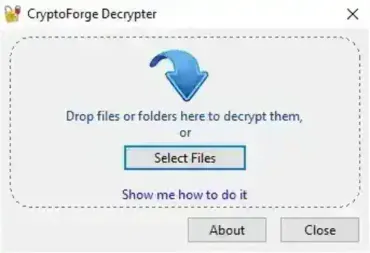
CryptoForge Decrypter is a free, portable file decryption tool designed to open and decrypt .cfe files. These files are created using CryptoForge encryption software, and this utility allows authorized users to restore encrypted data to its original, readable form. Because it is a stand alone executable, it can be stored and run directly from a USB flash drive or other removable media without installation.
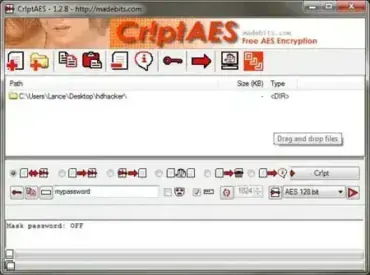
Cr!ptAES is a free and portable AES file encryption program created by madebits . It enables you to securely password encrypt and decrypt files and folders. You can then easily send your password protected encrypted files over your local network, over the Internet.
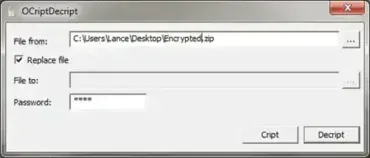
OCriptDecript is a free, Open Source portable file encryption and decryption tool. This lightweight utility allows you to securely encrypt files to protect sensitive information from unauthorized access. You can also easily decrypt previously encrypted files using the same tool, making it ideal for both personal and professional data protection.
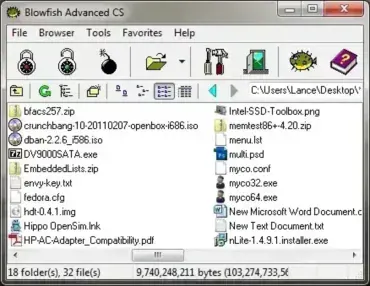
Blowfish Advanced CS is a free, portable file encryption program developed by Markus Hahn. This lightweight utility allows you to encrypt files using the Blowfish algorithm and protect sensitive data with a password-derived key. Designed for portability and ease of use, Blowfish Advanced CS requires no installation and can run directly from a USB flash drive.
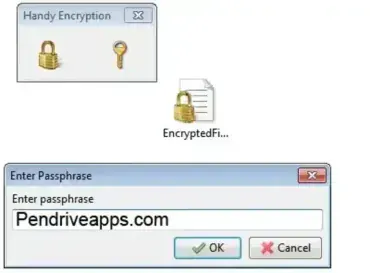
Handy Encryption is a Free File Encryptor tool. This free and portable file encrypting software can be used to secure or prevent important files from being read or modified by unintended users or recipients.
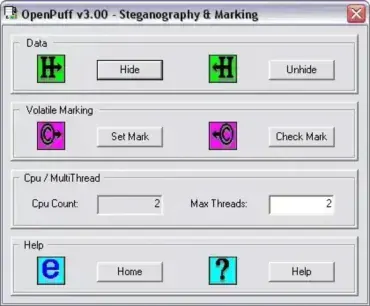
OpenPuff is a Free Steganography and Watermarking software tool. As the name suggests, it can be used to Watermark Photos, Images, and Pictures. It can also be used to Encrypt or Hide Data in a file. The hidden data or messages can then only be accessed by entering the proper password.
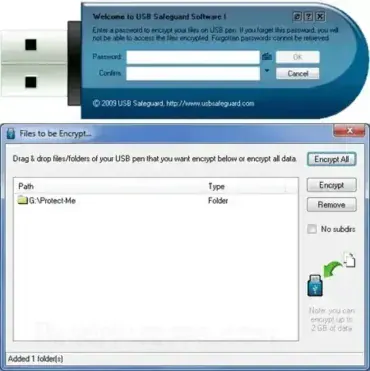
USB Encryption: USB Safeguard is a free encryption tool for USB flash drives. It can be used to password protect any files that reside on your USB drive. Simply create a password and then drag and drop files from your flash drive into the Window. To gain access the encrypted files, simply re-enter your password.
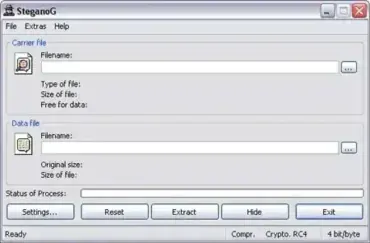
SteganoG is a Portable Application that allows you to hide information or store confidential data in a bitmap image file. The image is used to safe guard your data by appearing as just an image to the viewer. Data stored in the bitmap image is compressed, encrypted and password protected. The tool can be used to both hide and to extract the data or information from the image. The BMP image is simply used as a non conspicuous carrier and storage container for your data.
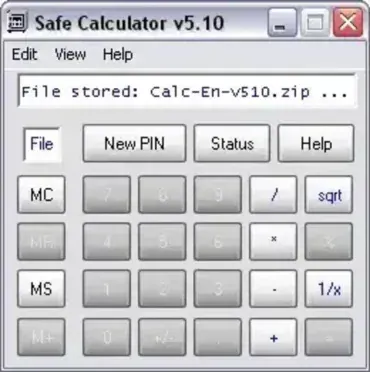
Safe Calculator is a free, portable file encryption tool cleverly disguised as a standard calculator. On the surface, it works like a normal calculator, but when the correct numeric PIN is entered, it reveals a hidden safe where you can encrypt, hide, and protect your files. This makes it an excellent stealth encryption solution for securing personal or sensitive data.
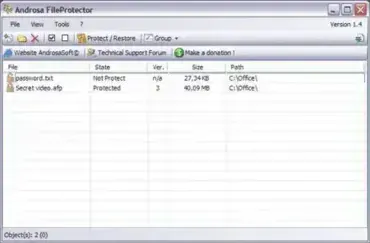
Androsa File Protector is a professional-grade, standalone freeware file encryption tool that allows users to securely encrypt files using advanced cryptographic algorithms. Designed for simplicity and security, this portable file encryption software requires no installation, making it ideal for protecting sensitive data on the go.
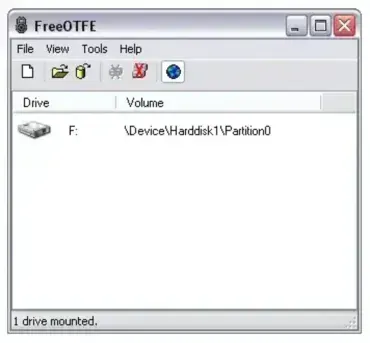
FreeOTFE (Free On The Fly Encryption) is a powerful and open-source portable USB encryption tool that enables users to securely encrypt and protect sensitive data stored on USB flash drives or other removable storage devices. Designed to run from a portable location, it can create and manage encrypted volumes, virtual encrypted disks, or entire encrypted partitions with ease.
Supporting a wide range of encryption algorithms such as AES, Blowfish, Serpent, and Twofish, it ensures strong data protection for both casual users and professionals who require secure, portable encryption solutions.
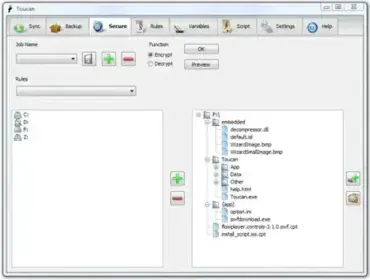
Toucan is a versatile open source portable application designed to help you easily backup, synchronize, and encrypt data. Whether you want to keep files safe, ensure they are up-to-date across devices, or protect sensitive information with strong encryption, this portable utility has you covered.
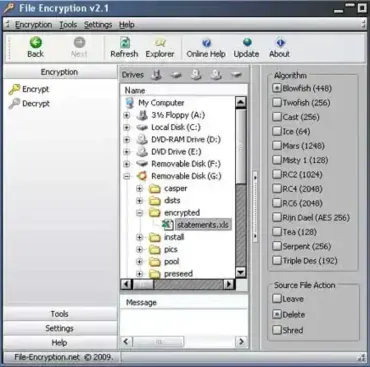
File Encryption is a free portable file encryption utility that allows you to protect your files, documents, and personal data from unauthorized access. This lightweight open source tool works by transforming your information into a scrambled, unreadable format using strong encryption methods. Anyone attempting to open your protected files without the correct password will only see encrypted, inaccessible data, making it a reliable solution for users who want a simple USB file encryption tool for secure storage on flash drives and external devices.
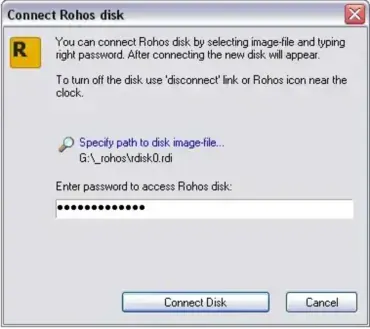
Rohos Mini Drive is a free portable partition encryption tool that allows you to create a hidden, password-protected partition on your USB flash drive. It enables secure data storage on removable devices without requiring administrative privileges to access the encrypted partition, even on guest computers.
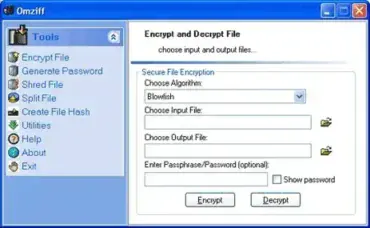
Omziff is a Free Portable File Encryption Tool that enables you to encrypt and decrypt text-based files using a wide variety of cryptographic algorithms. This lightweight utility also features password generation, file splitting, and secure file deletion, making it a versatile tool for privacy-conscious users. No installation is required, simply run it from your USB flash drive.
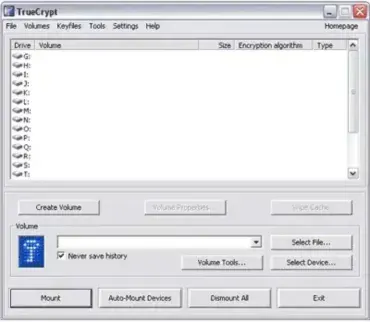
USB Encryption with TrueCrypt – Portable Data Protection: Need a reliable way to encrypt your sensitive data on USB drives or external storage? This open source disk encryption software that allows you to securely encrypt files and folders on USB flash drives, portable storage devices, and hard disk partitions. Designed for on the go security, TrueCrypt supports traveler mode, meaning it can be launched directly from your USB drive without installation on the host system.
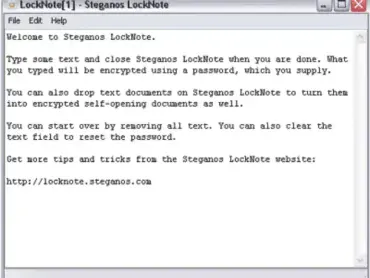
LockNote is a simple and secure portable text editor that allows users to password-protect their notes and text files using strong AES 256-bit encryption. Whether you want to create new encrypted documents or secure existing text files by dragging and dropping them into the software, this utility makes it easy to keep your sensitive information safe and private.
Ideal for storing confidential information such as passwords, personal notes, or private messages, it combines the convenience of a lightweight notepad with powerful encryption technology. Its straightforward interface requires no installation, making it perfect for use on USB drives or as a portable app.