Search Results for: benchmarking

No exact matches found in titles, headings, slugs, or excerpts. Showing posts containing your search terms in the content.

HDBench: Free Benchmark Software Utility

HDBench - Free Benchmark Software Utility

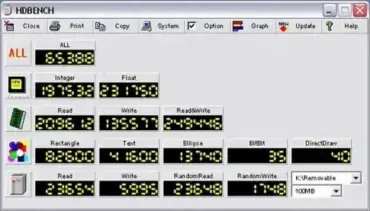
Another nice little Portable and Free Benchmarking Software Tool is HDBench. It can be used to quickly test and benchmark CPU, memory, video, and disk drive performance. Also, it works great for benchmarking USB flash drives. Although English language support is minimal, the Benchmarking Tool appears to work well and provides valuable insights into a system's overall performance.

SpeedOut: USB Speed Test

Speedout USB Speed Test

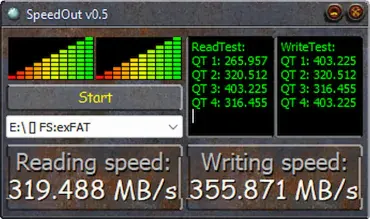
SpeedOut is a small, free program that lets you see how fast your USB flash drives really are. It checks both read and write speeds, so you know exactly what kind of performance you're getting.

If you've used tools like CrystalDiskMark or USB Flash Benchmark, this USB speed tester should feel familiar. It's quick, easy to use, and you don't even have to install anything. Just run it, and you get a clear picture of your USB drive's speed without any hassle. It makes for a simple and portable solution for quick USB benchmarking.

Everest Home Edition - System Information

Everest Home Edition

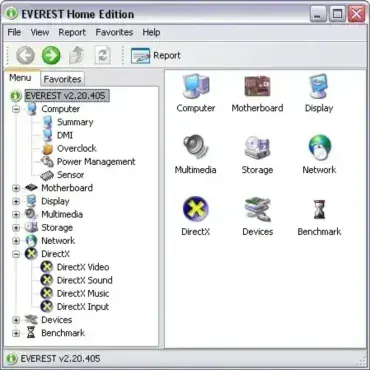
Everest Home Edition is a portable and free system information utility developed by Lavalys (now FinalWire Ltd). Much like SIW or Speccy, it can be used to analyze and display detailed hardware and software information, all without opening the computer case. This makes it extremely useful for system diagnostics, upgrades, or performance benchmarking.

Free Benchmark Software CrystalDiskMark

Free Benchmark Software CrystalDiskMark

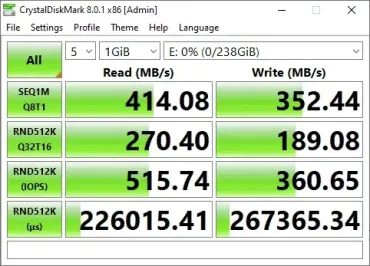
CrystalDiskMark is a popular, free tool for Windows that checks how fast your storage devices are-whether you've got a USB stick, SSD, HDD, NVMe, or even a network drive. Tons of people rely on it, from tech experts to regular folks, because it's fast, straightforward, and pretty much everyone trusts the results.

Quick answer: Here's a quick way to use CrystalDiskMark: Open the program, pick the drive you want to test from the dropdown menu, then hit "All" to start the full benchmark. Pay close attention to the 4K random read and write numbers-those tell you how snappy your system feels with everyday tasks. The sequential read and write numbers matter more if you're moving big files around. Everything shows up in MB/s. Right now, version 9.0.3 is the latest (as of May 2026).

H2testw: Test for Fake Flash Drives

H2testw -Test USB FLash Drive for Errors

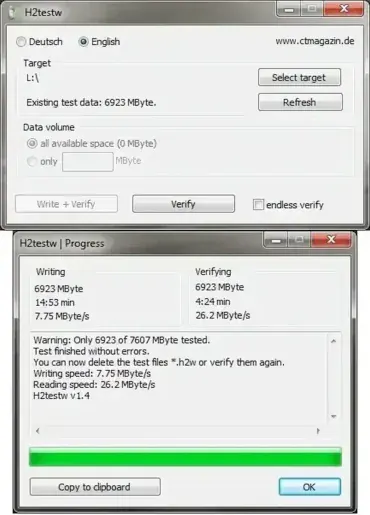
H2testw is a free Windows utility that checks the usable capacity and data integrity of USB flash drives, SD cards, and other writable storage. It writes test files to the available space selected for testing, then reads them back to check for mismatches and errors. This can reveal counterfeit-capacity devices or unreliable storage, but a successful test only applies to the space tested and does not guarantee future reliability. Additionally, it can check USB sticks and memory cards for errors, making it a reliable tool for safeguarding your data. This lightweight and portable software supports both English and Deutsch languages.

Parkdale: Drive Speed Tester

Parkdale Drive Speed Tester

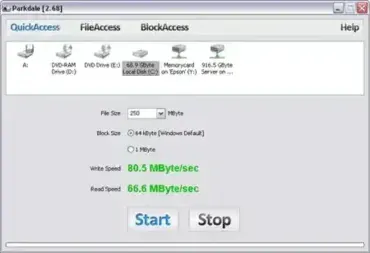
Parkdale is a neat Drive Speed Testing Tool created by run.to/sz. This Free and Portable Utility can be used to quickly measure or test the Read and Write Speed of various storage devices, including Hard Disks, CD Drives, and Network Drives. Its flexibility and ease of use make it a must-have for both casual users and IT professionals. Whether you are troubleshooting performance issues or comparing storage devices, it provides reliable results with minimal setup.

CrystalDiskInfo Portable Hard Drive Monitoring

crystal-disk-info

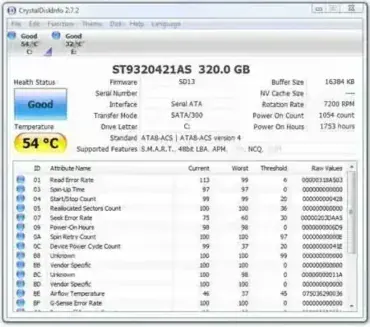
CrystalDiskInfo Portable is a free and powerful hard drive monitoring tool or drive health monitoring utility (software to check and keep track of internal or external drive health). It allows you to check the status, temperature, and overall health of your HDD or SSD drives without requiring installation. With it, you can view essential details, such as total power on hours and the number of times a hard disk has been used.

HD Speed - Hard Drive Speed Testing

HD_Speed

HD Speed is a free and portable drive speed testing utility designed to measure the read performance of storage devices such as hard drives, solid state drives, optical discs, and even legacy floppy disks. It allows users to test both burst speed and sustained transfer rates, making it useful for diagnosing slow drives, verifying upgrades, or benchmarking older hardware.

HWiNFO - System Hardware Information Tool

System Information - HWiNFO32

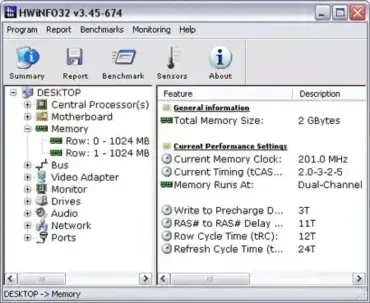
HWiNFO is a professional system hardware information and diagnostic tool that provides comprehensive information about a computer's hardware components. It is designed to support both novice and expert users in providing accurate and detailed information about the system's configuration, performance, and stability.

CPU-Z Portable System Information Tool

CPU-Z

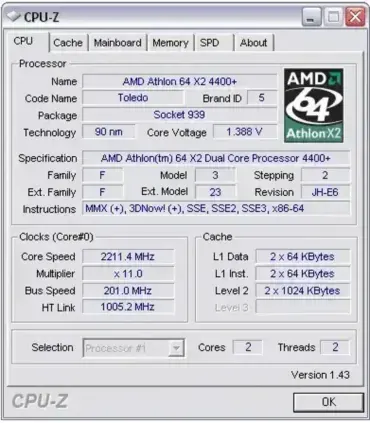
CPU-Z Portable is a tiny portable system information tool that can be used to check and display CPU, Memory, Motherboard and Operating System information (including Direct X version). The software utility can also be used to bench test or stress test your processor.

USB Device Information Tool: USBDeview

USBDevView

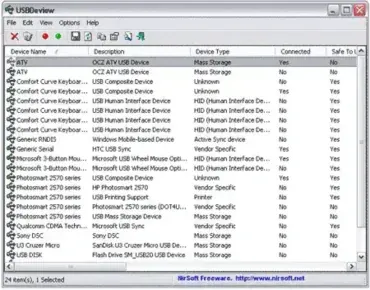
USBDeview is a free, portable USB diagnostics utility from NirSoft that lets you view and manage every USB device that has ever connected to your Windows system - currently connected or not. It displays detailed information including device names, serial numbers, Vendor and Product IDs, device type, drive letter, connection status, and exact timestamps for first and last connection. Whether you are troubleshooting a USB problem, auditing device usage, or cleaning up leftover registry entries, it is one of the most capable free tools available for the job.

Quick answer: Download USBDeview, extract the ZIP, and run USBDeview.exe - no installation required. The tool immediately displays every USB device connected to the system, past and present. Right-click any entry to disable, uninstall, run a speed test, or export device details. The current version is 3.10.

AIDA32 - Portable System Information Tool

AIDA32 System Information Tool

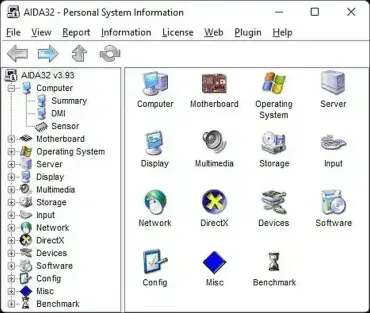
AIDA32 is a free portable system information and hardware diagnostic tool that provides detailed reports about your computer's hardware and software. Although development ended years ago, it remains a lightweight favorite for inspecting legacy Windows systems, identifying hardware components, checking BIOS information, and generating comprehensive system reports without installation. Whether you're an IT professional, technician, or home user, this system information utility makes it easy to analyze your PC and troubleshoot hardware issues.