
OpenSim (OpenSimulator) is a free and open source virtual world server platform that allows users to create, host, and manage immersive 3D virtual environments. Often compared to Second Life, this self-hosted solution gives complete control over virtual spaces, avatars, objects, scripting, and world customization without relying on a commercial service.
OpenSim | Free Open Source Virtual World Server
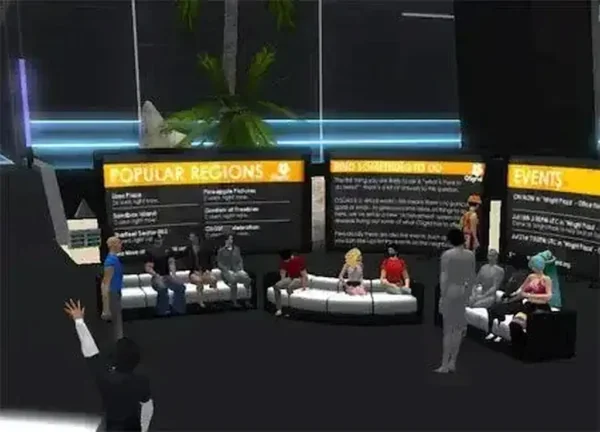
What is OpenSim?
OpenSimulator is an open source platform used to create and host virtual 3D worlds. Similar in concept to Second Life, it enables individuals, educators, researchers, and developers to build their own online environments complete with customizable avatars, interactive objects, virtual land, and real-time collaboration.
Unlike commercial virtual world services, the software can be self-hosted on local hardware or a dedicated server, providing full ownership of content, user management, and world configuration.
Written in C#, the platform supports multiple database backends and can operate as a standalone virtual world server or as part of a larger interconnected grid.
Key Features
- Create Custom Virtual Worlds: Build private or public 3D environments tailored to specific projects or communities.
- Viewer Compatibility: Works with several virtual world viewers, including Firestorm and other compatible clients.
- Avatar Customization: Create unique virtual identities, inventories, and appearances.
- Object Building Tools: Design structures, landscapes, and interactive virtual content.
- Physics Support: Add realistic movement, collisions, and environmental interactions.
- Scripting Capabilities: Create dynamic objects, automation, and interactive experiences.
- Portable Deployment: Can be configured to run from portable or self-contained environments.
- Open Source Flexibility: Modify and extend functionality to meet specific requirements.
Common Uses
The software is used in a variety of projects and industries, including:
- Virtual classrooms and distance learning
- Training simulations
- Research and academic projects
- Virtual meetings and collaboration spaces
- Game development and prototyping
- Role-playing communities
- Metaverse and digital world experimentation
Getting Started
To begin creating a virtual world:
- Download and extract the software package.
- Configure the included server settings.
- Launch the server application.
- Create a virtual region.
- Connect using a compatible virtual world viewer.
- Begin building and customizing your environment.
Depending on your network configuration, you may need to open the appropriate ports to allow external connections.
Why Use This Virtual World Platform?
One of the biggest advantages of this project is the freedom it provides. Rather than relying on a third-party service, users retain complete control over their virtual environments, content, and user access.
Benefits include:
- No subscription fees
- Self-hosted deployment
- Extensive customization options
- Large and active open source community
- Cross-platform compatibility
- Suitable for educational, personal, and commercial projects
For users searching for a Second Life alternative, it remains one of the most mature and widely adopted open source virtual world platforms available.
Portability and Performance
Although typically deployed on dedicated hardware, the software can also be configured as a portable virtual world server for testing, development, and demonstration purposes.
Its relatively modest storage requirements make it suitable for carrying on external drives or incorporating into portable development toolkits.
Specifications | Official Site | Download
- Author's Website: OpenSimulator Wiki
- Project Website: OpenSimulator.org
- License: BSD Open Source License
- Programming Language: C#
- Extracted Size: Approximately 65 MB
- Supported Operating Systems: Windows, Linux, macOS (via Mono)
- Category: Virtual World Server, Simulation Software, Development Tools
- Editor's Rating: 4 Star
- Download: Download OpenSim
Pros and Cons
Pros
- Free and open source
- Complete control over virtual worlds and content
- Supports avatars, scripting, and physics
- Highly customizable
- Compatible with multiple virtual world viewers
Cons
- Requires some technical knowledge to configure
- Initial setup may be challenging for beginners
- Performance depends on hardware and server configuration
Final Thoughts
OpenSim remains one of the most capable open source virtual world platforms available. Whether you're building educational simulations, hosting online communities, experimenting with virtual reality concepts, or creating a self-hosted metaverse project, it provides a flexible foundation without the restrictions of commercial services.
Its combination of customization, portability, viewer compatibility, and open source licensing makes it an excellent choice for anyone interested in creating and managing their own virtual world environment.