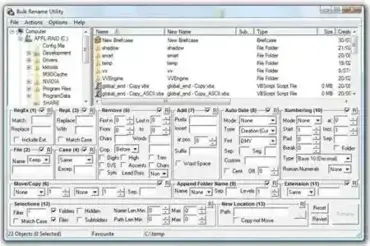
Ken Rename: Legacy Windows Batch File Renaming Utility
Ken Rename is a Windows batch-renaming utility that applies a sequence of rules to multiple files. Instead of changing filenames one at a time, you can combine text replacement, numbering, case conversion, wildcard filters, and metadata-based naming in a single rename operation. The original program also supports regular expressions, macros, and scripting, giving it more flexibility than a basic file renamer.
Build a Set of File-Renaming Rules
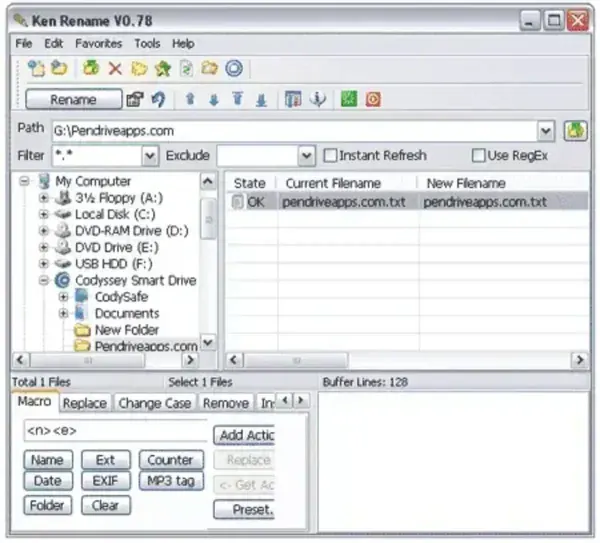
Ken Rename lets you create several actions and arrange their order. For example, you can replace an unwanted word, remove extra characters, convert the remaining name to a consistent case, and add sequential numbers. Wildcard filters help limit the operation to selected file types, while the preview displays the proposed names before you commit the change.
The utility can also use metadata when renaming media collections. ID3v1 and ID3v2 tags can provide information for music filenames, while EXIF data can be used for image-related naming. Other documented options include Unicode support, filename macros, VBScript, and command-line operation. These features are useful for organizing downloaded files, cleaning up music libraries, or applying a consistent naming scheme to a group of photographs.
Preview and Undo Before Changing a Folder
Batch renaming can affect hundreds of files in a few seconds, so always inspect the preview before applying a rule. Check that the correct files are selected, that extensions remain intact, and that the new names are unique. A replacement pattern that is too broad can change words you intended to keep or create duplicate filenames.
Ken Rename includes an undo function, but it is still wise to test a rule on a small copy of the folder first. Keep a backup when renaming important archives, media libraries, or files referenced by scripts and applications. Changing a filename can break shortcuts, playlists, project references, and links even when the file contents remain unchanged.
Portable Operation and Project History
The developer's page lists Ken Rename 1.02 and records an update dated November 19, 2010. The archived compatibility information names Windows 2000, XP, Vista, and 7. The portable package can be extracted to a folder and launched directly. The Portable Freeware Collection notes that disabling the Windows Explorer integration option helps keep the setup self-contained.
The original developer page is still available as a historical listing, but some of its download links may no longer work. Current development and compatibility with Windows 10 and Windows 11 have not been verified. Do not assume that an old executable or custom VBScript rule is safe to run on a modern system without testing it first.
For details, see the developer's Ken Rename 1.02 page and the Portable Freeware Collection entry.
Use PowerRename on Current Windows Systems
For a maintained option on Windows 10 and 11, Microsoft PowerToys includes PowerRename. It provides search and replace, regular-expression rules, file and folder filters, and a preview of the new names before applying the operation. After selecting files in File Explorer, right-click and choose Rename with PowerRename. See Microsoft's PowerRename documentation for its current options.
Ken Rename Specifications
- Project: Ken Rename
- Developer: Ken (Ken's Program Space)
- Version: 1.02
- Last listed update: November 19, 2010
- License: Freeware
- Platform: Windows 2000, XP, Vista, and 7 (archived compatibility listing); newer versions unverified
- Main features: Multi-step rename actions, wildcard filters, macros, numbering, regular expressions, undo, ID3 and EXIF tags, Unicode, and VBScript
- Deployment: Installer and portable packages
- Editor's Rating: ★★★★☆ (4/5)
- Download: The original developer page is available for reference; current package links may be unavailable
Is Ken Rename Still Useful?
Ken Rename offered a flexible set of filename rules, including metadata-based naming and scripting, in a compact Windows utility. Its preview and undo functions are especially important for large batch operations. The program is now a legacy release, however, and its compatibility with current Windows versions is uncertain. It remains useful as a historical example of a feature-rich renamer, while PowerRename is a better-supported choice for current Windows systems.