
Hexplorer is a free portable hex editor that is very similar to HxD. As the name implies, this free hex reader and binary file editor can be used to explore and edit binary hexadecimal files. It is a lightweight yet powerful tool for anyone who needs to peek under the hood of files and raw data stored on a computer system.
Hex Editor Portable Hexplorer
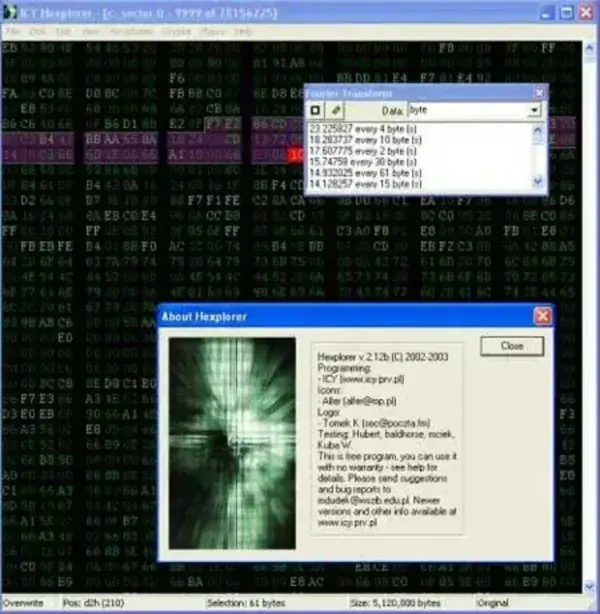
One very unique feature of this particular Binary (hexadecimal) editor for Windows is that it offers the ability to interpret or visualize binary data in various ways. Different ways of visualizing binary data? Yes! For example, it ships with a built-in pixel viewer that can be used to display binaries as bitmaps. This makes it possible to recognize image data hidden inside files, which can be very helpful for reverse engineering, digital forensics, or debugging raw file content.
Another great advantage is that the tool is Open Source. This means you can view the source code to study how it works, customize it for your own needs, or even redistribute modified versions. The free Hex editing utility was specifically created and designed by its author to work under Windows, and can easily be made to run portably from a USB flash drive. This portability feature enables you to carry the program with you and perform hex editing on-the-go without needing to install software on every machine you use.
- License: Freeware / Open Source
- Authors Website: Project Page
- Developer: Created by Marcin Dudek (i-c-y)
- Supported Operating Systems: Windows 11, 10, 8, 7
- Extracted Size: roughly 3MB
- File Support: Any binary file (executables, disk images, save states, raw data dumps, etc.)
Key Features
- Simple and clean user interface designed for efficiency.
- Pixel viewer to visualize binary data as bitmaps.
- Ability to edit and overwrite binary data directly.
- Search and replace functionality in hexadecimal or ASCII formats.
- Lightweight footprint, runs quickly without heavy system resource usage.
- Portable mode support, no installation required after extraction.
- Open Source, view, study, or modify the source code.
Use Cases
Hexplorer can be useful in a variety of scenarios:
- Reverse Engineering – Explore how files and executables are structured internally.
- Data Recovery – Manually inspect and recover corrupted file fragments.
- Digital Forensics – Investigate binary evidence in raw file dumps.
- Software Debugging – Identify patterns and analyze compiled program data.
- Learning Tool – A great starting point for students learning about binary and hexadecimal systems.
How to use Hexplorer on USB
- Download Hexplorer and run the executable, proceeding to install it onto your PC.
Alternately, you can extract the files from the setup executable using 7-Zip Portable. - Next, copy the hexplorer folder from C:Program Files to your USB flash drive.
- Finally, click hexplo.exe from the folder on your USB, to launch the program.
Note: You can simply uninstall the program from your Windows Computer using Add/Remove Programs once you have copied the folder to your flash drive.
Hexplorer vs HxD
While both are excellent hex editors, there are some differences worth noting:
- HxD offers more advanced features such as RAM editing and checksum generation.
- Hexplorer is lighter, simpler, and Open Source, making it a great option for those who want transparency and hackability.
- Both are portable, but Hexplorer may appeal more to developers who value minimalism and source code access.
Whether you're a programmer, IT professional, digital forensic analyst, or simply curious about how files are structured, Hexplorer is a handy tool to keep on your USB drive for use no matter where you are.