
Personally reviewed free portable apps and games for USB. Here you will find some of the best free portable games, software and applications for Windows. These are useful tools and utilities that can both be stored and then run directly from a flashdrive, thumbdrive, pendrive or other commonly used removable storage device.
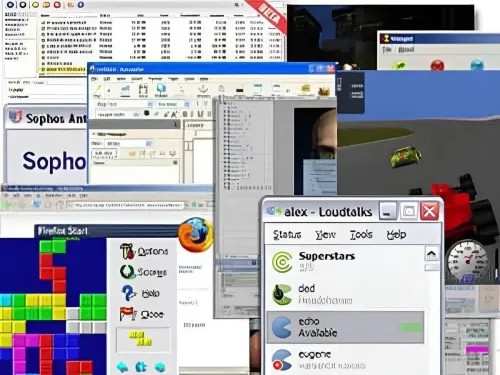
Enabling you to bring your favorite office applications, email, web browser, instant messaging, games, graphical editors, media player, antivirus, recovery tools, encryption utilities, P2P file sharing utilities and more with you. All carried on one single USB drive.
What is a portable application?
A portable application is a stand alone software program that was designed to be used from a removable storage device, such as a USB flash thumb drive, jumpdrive, pendrive, micro sd card or an external hard drive, without needing to be installed on a computer's hard drive. Because the software is self contained, these types of applications can be run directly from the removable storage device, without being installed alongside the host computer's operating system.
Standalone applications are popular because they allow users to easily carry their favorite software programs with them to use on any computer without leaving any trace of their activity behind. They are also useful for people who need to work on multiple computers and don't have administrative rights to install software on all of them.
How do USB portable apps work?
In most cases, portable apps work by storing configuration settings and changes to a configuration file (such as an ini file) on the USB drive. This config file can usually be found in the directory where the application is stored. Making it easy to keep your preferences the same when running the software or game between multiple computers.
What does it mean when an app is portable?
With the portable apps format, a data file such as portable.dat is used to force those ini configuration file changes to remain in that local folder. Note that a program that offers no user configurable preferences might also be considered a portable standalone application, if the software doesn't write preferences back onto the host PC.
Which portable apps are best?
On this site you will find a neatly categorized extensive selection of only the best-portable-apps, portable apps suite, tools, utilities, and games that are free to run from USB. Most of these are self executing programs and games for Windows, though I plan to review and include Mac OS and Linux portables at a later point in time.
Most of the software reviewed here has been created by their respective authors with the intent to be run entirely from external removable USB devices such as a flash drive. Sometimes even allowing users to save their changes and personalized settings back to the same device.
Additionally, some may also be available as a stand alone executable. In which case everything is self contained. Making it so you do not need to keep track of multiple folders and files.
What are some popular portable applications and USB games?
Here are a few popular recently reviewed or updated portable applications and free games that can be stored and run from USB. You can browse the free portable software sitemap to view them all.
MAME - Free Arcade Game Emulator for PC
 MAME - Multiple Arcade Machine Emulator is a free arcade game emulator for PC. This arcade emulation ...
TreeSize Get Folder Size Windows 11
 TreeSize is a Free tool that can be used to get folder size or list directories by size in Windows. This ...
USB Oblivion - Delete USB Registry Keys
 USB Oblivion is a freeware portable Registry editor tool. It can be used to delete USB registry keys or ...
WinSpy | Easily Find Window Properties
 WinSpy is a free tool that can be used to find the advanced properties of a Window. It is a handy ...
UUI - Universal USB Installer
 UUI - Universal USB Installer for Windows is a bootable USB maker. It can be used to quickly and easily ...
TightVNC Portable VNC Viewer
 TightVNC Portable is a popular open source free and portable VNC Viewer that can be stored and run from a ...
Those are just a handful of the free applications, USB games, portable applications for work, and other useful flash drive tools and software that I have personally found, categorized, and reviewed over the years. All shared with the world in hopes that you and others might also find them useful.
Do you know of any missing free software, application, tool, or game that should be listed? Are you an author who would like to have your portable utility or game reviewed? If so, contact me with your submissions and or suggestions.
Please note that no sponsored reviews are posted on this site. Authors of any portable app, utility or portable game listed here do not pay to have their products reviewed and posted, and sponsored submissions are rejected.
The only requirements to review acceptance are that any submitted software is made available as portable freeware or is open sourced. Submissions must not contain viruses, malware, or anything else that might be considered harmful or malicious.
If you find the information provided here helpful, please share this site with others!
