
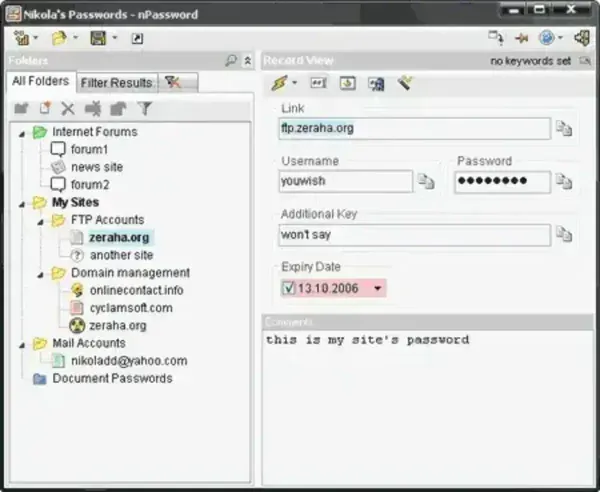
nPassword is another portable password storage tool that can be used to encrypt and securely store your passwords. It claims to be even more secure than it's competitors. It uses 256bit AES encryption technology.
The user can use customizable keyboard shortcuts, create macros and quickly access passwords from any program with the QuickPassword popup feature (Win+X by default). The user can also drag and drop the password data from nPassword into a Windows program. This portable password manager requires only 1.23MB for completely portable stand alone installation.
nPassword - Portable Password Manager
- Authors Website: http://zeraha.org/
- License: Freeware
- Supported OS: Windows
How to make it Stand-Alone Portable
- Download nPassword
- Create a folder named nPass on your USB device
- Extract the contents of nPassword_packed_v1.0.2.41.rar to the nPass folder on your USB device
- Click nPassword_v.1.0.2.41.exe from your nPass folder to launch the program